Ip Address ျဖင့္ network ခ်ိိတ္ဆက္ထားျခင္းသည္ Network Conflict ျဖစ္ျခင္းမ်ားကုိ မျဖစ္ေစႏုိင္ပါ။ Ipautomatically စနစ္က Apipa IP ျဖစ္ေနသည္အတြက္ Network ခ်ိတ္ဆက္မႈေတြမွာ အဆင္မေျပမႈေတြနဲ႕ၾကဳံေတြႏုိင္ပါတယ္..။ ဒါေၾကာင့္မုိ႔ Ip Adrress ေတြနဲ႕ Network Setup လုပ္လုိက္မယ္ဆုိရင္ ... ပုိအဆင္ေျပမွာျဖစ္ပါတယ္။
ျပဳလုပ္ပုံ။ Network Sharing Center ကုိ၀င္ပါ။ Ethernet Network ကုိ ညာကလစ္ေခၚျပီး Properties ကုိ ၀င္ပါ။
Internet Protocol version TCP/IP V4 ကုိ ေရြးပါ Properties ကုိ ၀င္ပါ ေရြးပါ။ Ip
Showing posts with label Computer Networking. Show all posts
Showing posts with label Computer Networking. Show all posts
Wednesday, July 19, 2017


home group network setup
နက္၀က္တစ္ခုကုိ ေဆာက္ေတာ့မယ္ဆုိရင္ ကြန္ပ်ဴတာ အမည္ကုိ တူညီေသာ အမည္ကုိ ေပးထားရမည္။
ျပဳလုပ္ပုံ။ ကြန္ပ်ဴတာကုိ ညာကလစ္ေခၚပါ... Properties ကုိ ၀င္ပါ။ System remote ၀င္ပါ... ၄င္းမွ Computer name ကုိေရြးပါ...။ WorkGruop ကုိေရြးပါ... အဓိကအက်ဆုံးမွာ ... WorkGroup အမည္ကုိ တူညီစြာေပးရပါမည္။ ျပီးလွ်င္ Network setting တြင္ TCP/IP (or) IPV4 တြင္...Obtain Ip automatically ကုိထားေပးပါ.။။ ကြန္ပ်ဴတာမွ Appia Address ကုိထားေပးသြားပါလိမ့္မည္။ ...169.254.xxx.xxx ျဖင့္ ျပပါလိမ္မည္။ ျပီးေနာက္အျခားခ်ိပ္ဆက္မည့္စက္တြင္လည္းအထက္ပါနည္းအတုိင္းေပးပါ။
ျပီးလွ်င္ ကြန္ပ်ဴတာကုိ Restart ျပဳလုပ္ပါ။
ျပဳလုပ္ပုံ။ ကြန္ပ်ဴတာကုိ ညာကလစ္ေခၚပါ... Properties ကုိ ၀င္ပါ။ System remote ၀င္ပါ... ၄င္းမွ Computer name ကုိေရြးပါ...။ WorkGruop ကုိေရြးပါ... အဓိကအက်ဆုံးမွာ ... WorkGroup အမည္ကုိ တူညီစြာေပးရပါမည္။ ျပီးလွ်င္ Network setting တြင္ TCP/IP (or) IPV4 တြင္...Obtain Ip automatically ကုိထားေပးပါ.။။ ကြန္ပ်ဴတာမွ Appia Address ကုိထားေပးသြားပါလိမ့္မည္။ ...169.254.xxx.xxx ျဖင့္ ျပပါလိမ္မည္။ ျပီးေနာက္အျခားခ်ိပ္ဆက္မည့္စက္တြင္လည္းအထက္ပါနည္းအတုိင္းေပးပါ။
ျပီးလွ်င္ ကြန္ပ်ဴတာကုိ Restart ျပဳလုပ္ပါ။
Saturday, December 12, 2015
Personalizing your desktop Window 10
Windows 10 makes it easy to customize the look and feel of your desktop. To access the Personalization settings, right-click anywhere on the desktop, then select Personalize from the drop-down menu. The Personalization settings will appear.


To change the font size:
- If you have difficulty seeing the text on your computer, you can increase the font size. Increasing the font size will also increase the size of icons and other items on your desktop. Open the Settings app, then select System.

- The Display options will appear. Use the slider to select the desired item size. Note that a larger size may interfere with the way some items appear on the screen.

- Click Apply to save your changes. You may then need to restart your computer for these changes to take effect.
To adjust ClearType settings:
ClearType allows you to fine tune how the text on your computer looks, which helps improve readability.
From the Display settings, select Advanced display settings.


- Choose ClearType text below Related Settings.

- The ClearType dialog box will appear. Follow the instructions, choosing the text that appears best to you.

- When you're done, click Finish. The ClearType settings will be applied.
Tips for managing multiple windows
Windows 10 has several features that make it easier to multi-task and work with multiple windows at the same time.


Once you've created multiple desktops, you can use Task view to switch between them. You can also move windows between desktops. To do this, open Task view, then click and drag a window to the desired desktop.

To close a virtual desktop, open Task view and click the X in the upper-right corner of any desktop you want to close.


Snap
Snap allows you to resize windows quickly, which is especially convenient when you want to see two windows side by side. To do this, click and drag the desired window to the left or right until the cursor reaches the edge of the screen, then release the mouse. The window will snap into place. To unsnap a window, simply click and drag the window down.
Note: If you have more than one window open when snapping, you'll be to
able to choose a window to snap to the other side of the screen
automatically.

Flip
You can use Flip to switch between open windows. To do this, press and hold the Alt key on your keyboard, then press the Tab key. Continue pressing the Tab key until the desired window is selected.
Task view
The Task view feature is similar to Flip, but it works a bit differently. To open Task view, click the Task view button near the bottom-left corner of the taskbar. Alternative, you can press Windows key+Tab on your keyboard. All of your open windows will appear, and you can click to choose any window you want.
Virtual desktops
Instead of keeping everything open on the same desktop, you can move some of your windows to a virtual desktop to get them out of the way. This feature wasn't available in previous versions of Windows, and it's especially helpful for managing a lot of windows at the same time. To create a new desktop, open Task view, then select New desktop near the bottom-right corner.Once you've created multiple desktops, you can use Task view to switch between them. You can also move windows between desktops. To do this, open Task view, then click and drag a window to the desired desktop.

To close a virtual desktop, open Task view and click the X in the upper-right corner of any desktop you want to close.

Showing the desktop
If you have a lot of windows open at the same time, it can be difficult to see the desktop. When this happens, you can click the bottom-right corner of the taskbar to minimize all open windows. Just click it again to restore the minimized windows.
Friday, December 11, 2015
Searching for files and apps window 10
To search for something on your computer—like a specific file or application—click the Start button, then start typing. Alternatively, you can press the Windows key on the keyboard to begin a search. In the example below, we're searching for a presentation file.


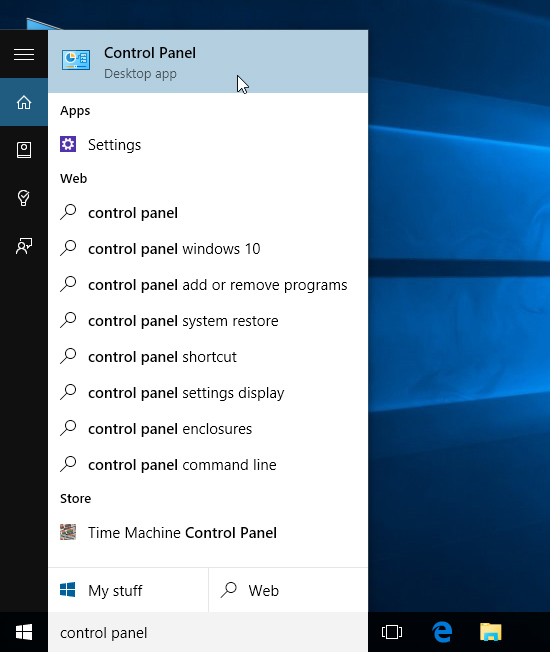
You can also use the Control Panel to adjust your settings, just like in earlier versions of Windows. However, there are some options that can only be accessed from the Settings app, like adding a new user. Because of this, you'll probably use the Settings app more often.


Adjusting your settings
You'll use the Settings app to change the most important settings on your computer, like your network and display options. To open the app, click the Start menu, then select Settings.You can also use the Control Panel to adjust your settings, just like in earlier versions of Windows. However, there are some options that can only be accessed from the Settings app, like adding a new user. Because of this, you'll probably use the Settings app more often.
Shutting down your computer
When you're done using your computer, it's important to shut it down properly. To do this, click the Start button, then choose Power > Shut Down.Getting started with Windows 10
Whether you're using a new computer with Windows 10 or an older
machine that was recently upgraded, this lesson will show you the basics
of using this version of Windows.


Signing in to Windows 10
You'll probably be asked to create a Microsoft account the very time you use Windows 10 (if you don't have one already). From this point on, whenever you turn on the computer you'll need to sign in to that account. To do this, type your password into the box and press Enter.
To learn more, you can review our lessons on Creating a Microsoft Account and Managing User Accounts and Parental Controls.
Navigating the desktop
Once you've signed in, the first thing you'll see is the desktop. You can think of the desktop as the main workspace for your computer. From here, you can view and manage your files, open applications, access the Internet, and much more.
Click the buttons in the interactive below to become more familiar with the Windows 10 desktop:

Opening applications
You'll use the Start menu to open programs on your computer, just like with previous versions of Windows. To do this, click the Start button in the bottom-left corner, then choose the desired application. If you don't see the one you want, select All apps to see a full list of applications. In the example below, we're opening OneNote.
Working with files
You'll use the File Explorer to manage your files and folders. To open File Explorer, click the File Explorer icon on the taskbar or double-click any folder on your desktop.
Upgrading to Windows 10
Unlike previous versions of the Windows operating system, Windows 10 is available as a free upgrade, as long as you have Windows 7 or Windows 8.1. This upgrade offer will expire after one year, ending sometime in August 2016.
However, Windows 10 is not available as a free upgrade for users with Windows RT, Windows Vista, or Windows XP. This is mostly because any computer with one of these operating systems simply wouldn't be able to run Windows 10 very well. If you're thinking about upgrading from an older system, we'd recommend purchasing a new computer that already has Windows 10 installed.

If you are upgrading from Windows 8 or Windows 7, most of your apps should still work. However, if you're using an older version like Windows XP, there's a good chance some of your apps will not be compatible with Windows 10. A simple web search will often be enough to tell if an app will be compatible.
If you don't see this icon, it either means you need to download to the most recent update for your operating system (specifically, Service Pack 1 for Windows 7 users or Windows 8.1 for Windows 8 users) or your computer does not meet the system requirements for Windows 10. Check out Microsoft's page on How to Upgrade to Windows 10 and its Windows 10 FAQ for more information.
However, Windows 10 is not available as a free upgrade for users with Windows RT, Windows Vista, or Windows XP. This is mostly because any computer with one of these operating systems simply wouldn't be able to run Windows 10 very well. If you're thinking about upgrading from an older system, we'd recommend purchasing a new computer that already has Windows 10 installed.

Things to consider before upgrading
System requirements
In order to upgrade your Windows 7 or 8.1 machine to Windows 10, you'll need to meet the system hardware requirements. Note that these are just the minimum requirements, so if you plan to use your computer for gaming or other demanding apps you may need a faster processor, more memory, or a more powerful graphics card to upgrade.Software compatibility
In order for software to work, it has to be compatible with the operating system. Therefore, you may not be able to use all of your existing software if you switch to a different operating system. Before upgrading to Windows 10, ask yourself if there is any software on your computer you can't do without—and then do some research to find out if it is compatible.If you are upgrading from Windows 8 or Windows 7, most of your apps should still work. However, if you're using an older version like Windows XP, there's a good chance some of your apps will not be compatible with Windows 10. A simple web search will often be enough to tell if an app will be compatible.
How to upgrade to Windows 10
If your computer is able to run Windows 10, you should see a small Windows icon near the lower-right corner of your taskbar. Click this icon to open the Get Windows 10 app, then follow the instructions to upgrade your computer.If you don't see this icon, it either means you need to download to the most recent update for your operating system (specifically, Service Pack 1 for Windows 7 users or Windows 8.1 for Windows 8 users) or your computer does not meet the system requirements for Windows 10. Check out Microsoft's page on How to Upgrade to Windows 10 and its Windows 10 FAQ for more information.
Tuesday, September 29, 2015
ကြန္ယက္ခ်ိတ္ဆက္မႈ အမ််ိဳးအစားမ်ား
ေမးခြန္း။ ၾကိဳးမဲ့ကြန္ပ်ဴတာ ခ်ိတ္ဆက္မႈဆုိတာဘာလဲ။
အေျဖ။ ၾကိဳးမဲ့ခ်ိတ္္ဆက္မႈကြန္ယက္ဆုိတာ ဘက္စုံသုံး အင္တာနက္ခ်ိတ္ Modern ျဖင့္ ၾကိဳးျဖင့္ခ်ိတ္္ဆက္ကြန္ယက္ခ်ိတ္ဆက္ျပီး ၾကိဳးမဲ့ခ်ိတ္ဆက္ကြန္ယက္ကို ပူးတြဲတပ္ဆင္ေပးထားႏုိင္သည္။ ၾကိဳးမဲ့ခ်ိတ္ဆက္မႈစနစ္ကုိ အိမ္ႏွင့္ရုံး စီးပြားေရးလုပ္ငန္းမ်ားတြင္ က်ယ္က်ယ္ျပန္အသုံးျပဳၾကသည္။
ကြန္ယက္နည္းပညာမ်ား
အမ်ိဳးမ်ိဳးေသာနည္းပညာမ်ားသည္ ဆက္လက္ဖြံ႕ျဖိဳးတုိးတက္လွ်က္ရွိသည္ ၾကိဳးမဲ့ခ်ိတ္ဆက္ျခင္းဆီသုိ႔ မတူညီေသာ ပုံစံျဖင့္ ေထာက္ပံ့ေပးထားပါတယ္။
Wi-Fi အထူးသျဖင့္ အိမ္သုံးကြန္ယက္တြင္ အထူးသျဖင့္ ေရပန္းစားတာကေတာ့ Wifi ပါဘဲ၊ Hotspot နည္းပညာပါဘဲ။
Bluetooth နည္းပညာတြင္ ဘက္ထရီစားသုံးမႈသက္သာေစေသာ ခ်ိတ္္္ဆက္ျခင္း။
ၾကိဳးမဲ့အိမ္သုံးခ်ိတ္ဆက္ျခင္းသည္ ZigBee ႏွင့္ Z-Wave ကုိ စံအျဖစ္ထားၾကသည္။
ၾကိဳးမဲ့ခ်ိတ္ဆက္ရန္ လုိရန္ ဆက္စပ္ပစၥည္းမ်ား
အေျဖ။ ၾကိဳးမဲ့ခ်ိတ္္ဆက္မႈကြန္ယက္ဆုိတာ ဘက္စုံသုံး အင္တာနက္ခ်ိတ္ Modern ျဖင့္ ၾကိဳးျဖင့္ခ်ိတ္္ဆက္ကြန္ယက္ခ်ိတ္ဆက္ျပီး ၾကိဳးမဲ့ခ်ိတ္ဆက္ကြန္ယက္ကို ပူးတြဲတပ္ဆင္ေပးထားႏုိင္သည္။ ၾကိဳးမဲ့ခ်ိတ္ဆက္မႈစနစ္ကုိ အိမ္ႏွင့္ရုံး စီးပြားေရးလုပ္ငန္းမ်ားတြင္ က်ယ္က်ယ္ျပန္အသုံးျပဳၾကသည္။
ကြန္ယက္နည္းပညာမ်ား
အမ်ိဳးမ်ိဳးေသာနည္းပညာမ်ားသည္ ဆက္လက္ဖြံ႕ျဖိဳးတုိးတက္လွ်က္ရွိသည္ ၾကိဳးမဲ့ခ်ိတ္ဆက္ျခင္းဆီသုိ႔ မတူညီေသာ ပုံစံျဖင့္ ေထာက္ပံ့ေပးထားပါတယ္။
Wi-Fi အထူးသျဖင့္ အိမ္သုံးကြန္ယက္တြင္ အထူးသျဖင့္ ေရပန္းစားတာကေတာ့ Wifi ပါဘဲ၊ Hotspot နည္းပညာပါဘဲ။
Bluetooth နည္းပညာတြင္ ဘက္ထရီစားသုံးမႈသက္သာေစေသာ ခ်ိတ္္္ဆက္ျခင္း။
ၾကိဳးမဲ့အိမ္သုံးခ်ိတ္ဆက္ျခင္းသည္ ZigBee ႏွင့္ Z-Wave ကုိ စံအျဖစ္ထားၾကသည္။
ၾကိဳးႏွင့္ ၾကိဳးမဲ့ခ်ိတ္္္ဆက္ျခင္းေကာင္းက်ိဳးမ်ား
ၾကိဳးမဲ့ အင္တာနက္ခ်ိတ္ဆက္မႈစံနစ္
ရုိးရာ ခ်ိတ္္ဆက္မႈ ၾကိဳးစံနစ္မွ အင္တာနက္ ၀န္ေဆာင္မႈသည္
တယ္လီဖုန္းၾကိဳးလုိင္းကုိ မွီခုိသည္။ တနည္း အိမ္သုံး ရုပ္သံၾကိဳးလုိင္းမွ
အင္တာနက္ခ်ိတ္ဆက္မႈ၊ ဖုိင္ဘာ အင္တာနက္ ဆက္ေၾကာင္းစံနစ္။
အဲဒီစနစ္မ်ားဟာ ၾကိဳးမ်ားျဖင့္ တုိက္ရိုက္ခ်ိတ္ဆက္ျပီး အသုံးျပဳေသာ
စံနစ္မ်ားပင္ျဖစ္ပါသည္။ ခ်ိတ္္ဆက္မႈစံနစ္ပုံစံမ်ားဟာ
ပုံစံမ်ိဳးစုံလင္ႏုိင္ပါတယ္။ ၾကိဳးမဲ့ခ်ိတ္ဆက္ျခင္းဟာ အိမ္ႏွင့္
စီးပါြးေရးလုပ္ငန္းမ်ား၏ အဓိက အစိတ္အပုိင္းမ်ားပင္ျဖစ္ပါသည္။
ၾကိဳးမဲ့ခ်ိတ္ဆက္ရန္ လုိရန္ ဆက္စပ္ပစၥည္းမ်ား
တည္ေဆာက္ရန္လုိအပ္ေသာ ပစၥည္းမ်ားမွာ ကြန္ပ်ဴတာ စက္ပစၥည္းမ်ား၏ ပုိ႔ပါးေသာ
ဆက္စပ္ပစၥည္းႏွင့္အလားသ႑ာန္တူေသာ ဖုန္းႏွင့္Tables မ်ားတြင္ ပါ၀င္ေသာ
ၾကိဳးမဲ့ ေရဒီယုိစနစ္၊ ၾကိဳးမဲ့ Wireless Broadband Router မ်ားသည္
အိမ္မ်ားအတြက္ အသုံးျပဳၾကေလ့ရွိသည္။ အျခားအမ်ိဳးအစားမ်ား
နက္၀က္လုိင္းမ်ားကုိ ဆက္လက္ခ်ဲ႕ ေပးေသာ Rage Extenders မ်ား။
ၾကိဳးမဲ့ကြန္ယက္ဘယ္လုိ အလုပ္လုပ္ေဆာင္
ၾကိဳးမဲ့နည္းပညာတြင္ ေရဒီယုိ လႈိင္းမ်ားႏွင့္ Microwave မ်ားမွ
လုိင္းမ်ားထုတ္လႊတ္မႈကုိ ထိန္းသိမ္း ေစာက္ေရွာက္ေပးၾကပါတယ္၊
နည္းပညာအေသးစိတ္ကုိ Wireless ေနာက္ကြယ္မွ Wifi ကဲ့သုိ႔ နည္းပညာမ်ားက
အေရးၾကီးေသာ အစိတ္အပုိင္းအျဖစ္ တည္ရွိေနၾကပါတယ္၊
နားလည္သေဘာေပါက္ဖုိ႔လုိအပ္ပါတယ္ အေျခခံသိသင့္တာက ကြန္ယက္တည္ေဆာက္ျခင္းႏွင့္
ျပည္လည္ ျပင္ဆင္ျခင္းမ်ားကုိ လြယ္ကူေစပါသည္။
Wednesday, August 26, 2015
ကြန္ပ်ဴတာ Networking ဆုိတာ ဘာလဲ?

Networking ဆုိတာဘာလဲ၊ အဓိပၸါယ္ ဖြင့္ဆုိမယ္ဆုိရင္... ကမ ၻာေပၚရွိ ကြန္ပ်ဴတာမ်ား၊ Networking ဆုိတာ ကြန္ပ်ဴတာ ႏွစ္လုံး (သုိ႔) အဲဒီထက္အမ်ားၾကီး ပုိတဲ့ တစ္လုံးႏွင့္တစ္လုံး အမ်ားအျပား ခ်ိတ္ဆက္ႏုိင္ရန္ တည္ေဆာက္ေပးထားေသာ စံနစ္ၾကီးတစ္ခုပါ၊ Networking ရဲ႕ ရည္ရြယ္ခ်က္ကေတာ့ အခ်ိတ္အဆက္မိထားတဲ့ ကြန္ပ်ဴတာမ်ားအခ်င္းခ်င္း သတင္းအခ်က္အလက္မ်ား ဖလွယ္ၾကဖုိ႔ပါ၊ အခ်င္းခ်င္း ဖုိင္အျပန္အလွန္ ပုိ႔ေဆာင္ေပးရန္ ကြန္ပ်ဴတာမ်ား၏ စက္ပစၥည္းႏွင့္ ပရုိဂရမ္မ်ား ေပါင္းစပ္ထားေသာ စံနစ္ျဖစ္ပါတယ္။
Area Networks
ကြန္ပ်ဴတာ Network မ်ားကုိ အမ်ိဳးမ်ိဳးေသာ မတူညီေသာ နည္းလမ္းမ်ားျဖင့္ အုပ္စုဖြဲ႕ထားေပးႏုိင္ပါတယ္။နည္းလမ္းတစ္ခုအေနျဖင့္ သတ္မွတ္ျပီး ခ်ည္းကပ္ရန္ Network နည္းစံနစ္မ်ားအရ ေျမပုံတည္ေနရာမ်ားအလုိက္ ၄င္းကုိ ခ်ိတ္ဆက္ေပးထားၾကပါတယ္။
Local area networks (LANs)
တစ္ဆက္တစ္စပ္တည္းပုံစံျဖင့္ တည္ရွိေနေသာ ခ်ိတ္ဆက္မူပုံစံ (Local Area Networks) ဥပမာ။ ။ ေယဘုယအားျဖင့္ အိမ္တအိမ္တြင္း ခ်ိတ္ဆက္ျခင္း၊ စာသင္ေက်ာင္းမ်ား၊ (သုိ႔) ေသးငယ္ေသာ ရုံးအဖြဲ႕အစည္းမ်ားအတြင္း ခ်ိတ္ဆက္ျခင္း။
wide area networks (WANs)
ၾကီးမား က်ယ္ျပန္႕ေသာ Network ခ်ိတ္ဆက္မႈစံနစ္မ်ိဳး။ Wide area Network တစ္ျမိဳ႕ႏွင့္ တျမိဳ႕၊ ျပည္နယ္တစ္ခုႏွင့္ တစ္ခု၊ ေနာက္ဆုံး ႏုိင္ငံ တစ္ႏုိင္ငံႏွင့္ တစ္ႏုိင္ငံ ခ်ိတ္ဆက္ေပးထားေသာ စံနစ္၊ တနည္း အင္တာနက္ ဆုိတာလည္း ကမ ၻာအၾကီးဆုံး ျပည္သူမ်ား ခ်ိတ္ဆက္ထားေသာ Network စံနစ္တစ္ခုပင္ျဖစ္သည္။
Network Design

Network ဒီဇုိင္း ။ ။ ကြန္ပ်ဴတာ Network လည္းဘဲ ၄င္းစံနစ္ကုိ ခ်ည္းကပ္ဖုိ႔နည္းလမ္းေတြျဖစ္ၾကပါတယ္။
Network ဒီဇုိင္း ပုံစံကုိ Client / server ႏွင့္ Peer-to-peer ဆုိျပီး ေခၚႏုိင္ပါတယ္။ (Client-server) Network စနစ္မ်ားကုိ Server ဗဟုိမွ အဓိက ထိန္းခ်ဳပ္ေပးၾကပါတယ္။
Server မွ ေဆာင္ရြက္ေပးႏုိင္တာကေတာ့ e-mail (အီးေမးလ္)၊ Web pages (အင္တာနက္ စာမ်က္ႏွာမ်ား)၊ ဖုိင္ႏွင့္ အျခားေသာ အသုံးခ် program မ်ားတုိ႔ျဖစ္ၾကပါတယ္။
Peer-to-peer Network စနစ္မ်ားတြင္ အျပန္အလွန္အားျဖင့္ ခ်ိတ္ဆက္ထားေသာ ကြန္ပ်ဴတာမ်ားအားလုံးသည္ တူညီေသာ ေဆာင္ရြက္ခ်က္မ်ားကုိ ျပဳလုပ္ႏုိင္ဖုိ႔ ရည္ရြယ္ထားေသာ စံနစ္ျဖစ္ပါတယ္။ Client / server စံနစ္ကုိ စီးပြားေရးလုပ္ငန္းမ်ားမွာ အဓိကအသုံးျပဳျပီး၊ Peer-to-peer စံနစ္မ်ားကုိေတာ့ အမ်ားအားျဖင့္ အိမ္ႏွင့္ အေသးစားရုံးမ်ားတြင္ အသုံးျပဳေလ့ရွိပါတယ္။
Network topology
Network တည္ေဆာက္ပုံအရ ေနရာသတ္မွတ္မွဳမ်ားကုိ ကိုယ္စားျပဳၾကပါတယ္ (သုိ႔) အခ်က္အလက္စီးဆင္းပုံ ဦးတည္ခ်က္ပုံစံကုိ မူတည္ျပီး တည္ေဆာက္ထားၾကပါတယ္။ bus networks တစ္ခုကုိ ဥပမာေပးၾကည့္မယ္ ကြန္ပ်ဴတာမ်ား အားလုံး တစ္ခုတည္းေသာေနရာမွ သြယ္တန္းျပီး မွ ်ေ၀သုံးစြဲေသာ စံနစ္ပုံစံပါ တနည္း မ်ဥ္းေၾကာင္းတစ္ေၾကာင္းတည္းတြင္ ခ်ိတ္ဆက္ထားေသာ စံနစ္မ်ားပင္ျဖစ္ပါတယ္။ Star Network မ်ားသည္ ဗဟုိမွ အဓိကထိမ္းခ်ဳပ္ထားျပီး အခ်က္အလက္ မ်ား စီးဆင္းေစေသာ စံနစ္ျဖစ္ပါတယ္။ ေယဘူယအားျဖင့္ network topologies မွာ Bus, Star, ring networks ႏွင့္ Mesh networks မ်ားလည္း ပါ၀င္ၾကပါတယ္။
Network Protocols
Network Protocols ကြန္ပ်ဴတာ ဆက္စပ္ပစၥည္းမ်ား အသုံးျပဳေစျပီး ဘာသာစကားမ်ားျဖင့္ Network ခ်ိတ္ဆက္ျခင္းကုိ Network Protocols လုိ႔ ေခၚပါတယ္။ အဲဒီမွာ မျပီးဆုံးေသးဘဲ Computer Network စံနစ္ကုိ အျခားနည္းလမ္းမ်ားျဖင့္လည္း ခဲြျခားႏုိင္ပါေသးတယ္ အဲဒါကလည္း Protocols စံနစ္မွ သတ္မွတ္ေပးထားျခင္းပါ။ Network တြင္ အမ်ိဳးမ်ိဳးေသာ Protocols မွ သီးျခားေသာ applications မ်ားအတြက္ အသီးသီး အေထာက္အပံ့ေပးထားျခင္းဟာ ျပည့္စုံေစေသာ အရာတစ္ခုပါ။ အဲဒီအထဲမွာ ေရပန္းစားတာကေတာ့ TCP/IP ပါဘဲ အိမ္သုံး အင္တာနက္စံနစ္ကုိ အသုံးအမ်ားဆုံး Protocols တစ္ခုပါဘဲ။Home Networking
Home Networking (အိမ္သုံး ကြန္ပ်ဴတာ network) network အင္ဂ်င္နီယာမ်ားကပင္ Network မ်ားကုိ ျပဳလုပ္ေပးၾကျပီး ၊ ထိန္းသိမ္း ျပဳဳျပင္ေပးၾကသည္။ အိမ္သုံးကြန္ယက္စံနစ္ကုိ ထုံးတမ္းစဥ္လာမ်ားအရ Network တပ္ဆင္သုံး အိမ္ပုိင္ရွင္မွ ပုိင္ဆုိင္ၾကပါသည္။ အနည္းငယ္ေသာ လူတစ္စု (သုိ႔) နည္းပညာရွင္မ်ား မဟုတ္ၾကသူမ်ား ျဖစ္ၾကပါသည္။ Broadband router (wifi စက္) အမ်ားစုမွာ ကုမၸဏီအမ်ားစု မတူညီေသာ အိမ္သုံး Network မ်ားအတြက္ ရည္ရြယ္ျပီး တပ္ဆင္ထားၾကပါတယ္၊ Broadband Internet( ျမန္ႏႈန္းျမင့္ ၂၄ နာရီလုံးခ်ိတ္ဆက္ထားေသာ အင္တာနက္လုိင္း) မ်ားကုိအသုံးျပဳျပီး အိမ္သုံး အင္တာနက္ၾကိဳးမဲ့လုိင္းစက္ (broadband routers) မွ အိမ္ခန္းတစ္ခန္းႏွင့္တစ္ခန္းကုိ ျပည့္၀ေသာ လုိင္းအားျပည့္ စနစ္မ်ားျဖင့္ တျပိဳင္တည္း ခ်ိတ္ဆက္ေပး ထားၾကပါတယ္၊ အဲဒီ (Network) ကြန္ယက္ အတြင္းမွာဘဲ Printers မ်ား ၊ အခ်က္အလက္မ်ား လြယ္ကူစြာပင္ ေမွ်ေ၀သုံးစြဲျခင္းေပးပုိ႔ႏုိင္ပါတယ္။ Network လုံျခဳံမွဳစံနစ္ကုိလည္း ကူညီေပးႏုိင္ၾကပါတယ္။Home networks (အိမ္သုံး Network) စံနစ္မွာ မ်ိဳးဆက္တစ္ခုခ်င္းစီ၏ နည္းပညာအသစ္ စြမ္းေဆာင္ရည္မ်ားဟာ အစဥ္ဖြံ႕ျဖိဳးတိုးတက္လွ်က္ရွိေနပါတယ္။ လြန္ခဲ့ေသာ ႏွစ္မ်ားစြာက ေယဘူယအားျဖင့္ Home network ကုိ လက္ရွိအသုံးျပဳမည္ ကြန္ပ်ဴတာအတြက္သည္ ခ်ိတ္ဆက္ေပးထားေလ့ရွိၾကပါတယ္။ အခ်ိဳ႕ေသာ အခ်က္အလက္မ်ားႏွင့္ Printer မ်ားကုိ မွ်ေ၀သုံးစြဲျခင္းမ်ားလည္း ရွိခဲ့ပါတယ္။ အခုကာလမွာေတာ့ အိမ္ေထာင္စုမ်ားအတြက္ Network ဂိမ္းကစားျခင္းမ်ား၊ ဗီြဒီယုိမွတ္တမ္းမ်ား၊ Smartphone မ်ားမွ အသံႏွင့္ ဗြီဒီယုိမ်ားကုိ တုိက္ရုိက္ၾကည့္ရႈအသုံးျပဳေနၾကပါျပီ၊ အလုိအေလ်ာက္ အိမ္သုံးစံနစ္မ်ားတြင္လည္း အဲဒီႏွစ္မ်ားစြာအတြက္ ရွိႏွင့္ခဲ့ျပီးလည္း ျဖစ္ပါတယ္။ ဒါေပမဲ့လုိ႔ အဲ့ဒီစနစ္ဟာ အလြန္အမင္းဘဲ ေခတ္ေရစီးအရ ၾကီးထြားျမန္ခဲ့ပါတယ္၊ မီးပြိဳင့္မ်ား၊ ဒီစကုိမီးမ်ား၊ ထိန္းခ်ဳပ္ျခင္းဟာလည္း လက္ေတြ႕က်ေသာ Network စံနစ္ျဖစ္ပါတယ္၊ ဒီဂ်ီတယ္ အပူခ်ိန္တုိင္းကိရိယာမ်ား၊ မီးဖုိေခ်ာင္သုံးပစၥည္းမ်ားပင္ျဖစ္ပါတယ္။
Business Networks
Business Networks (စီးပြားေရးလုပ္ငန္းသုံး ကြန္ယက္) ေသးငယ္ေသာ ရုံးမ်ား၊ အိမ္မ်ား၏ ပတ္၀န္းက်င္တြင္ တူညီေသာ network ခ်ိတ္ဆက္မူကုိ အေျခခံခဲ့ပါတယ္။ စီးပြားေရးလုပ္ငန္းမ်ားတြင္ ဆက္သြယ္ေရး ကြန္ယက္ခ်ိတ္ဆက္မွဳကုိ ထပ္တုိးခ်ဲမႈ ရွိခဲ့ပါတယ္။ အခ်က္လက္မ်ား သုိေလွာင္ျခင္း၊ လုံျခဳံေရး လုိအပ္ခ်က္မ်ားကုိ ျဖည့္ဆည္းဖုိ႔ သူတုိ႔ရဲ႕ Network မ်ားကုိ အျခားေသာ နည္းလမ္းမ်ားျဖင့္ တုိးခ်ဲခဲ့ၾကပါတယ္၊ အစဥ္သျဖင့္ သူတုိ႔ရဲ႕စီးပြားေရးမ်ား ပုိျပီး ၾကီးမားလာခဲ့ပါတယ္။ Home Network မ်ားကုိ ေယဘူယအားျဖင့္ Lan (Local area Network) တစ္ခုတည္းျဖင့္ ေဆာင္ရြက္ လုပ္ကုိင္ၾကပါတယ္။ Business Network စီးပြားေရး ကြန္ယက္မွာေတာ့ LANs အမ်ားအျပားကုိ ပါရွိဖုိ႔ ေဆာင္ရြက္ၾကပါတယ္၊ ကုမၸဏီမ်ားမွာ ၄င္းအေဆာက္အဦး၏ တည္ေဆာက္ပုံအရ ေနရာအမ်ားအျပားကုိ Wide-area-network (ေနရာက်ယ္က်ယ္ျပန္႔ခ်ိတ္ဆက္ျခင္း) စံနစ္ကုိ သုံးျပီး သူတုိ႔၏ ရုံးခဲြမ်ားကုိ အတူတကြ ခ်ိတ္ဆက္လုပ္ေဆာင္ၾကပါတယ္။ အခ်ိဳ႕အိမ္ေထာင္စုမ်ား ၄င္းစံနစ္ကုိ ခ်ိတ္ဆက္ အသုံးျပဳၾကပါတယ္၊ (Voice over IP) အုိင္ပီစံနစ္ျဖင့္ အသံျဖင့္ ခ်ိတ္ဆက္ျခင္း ႏွင့္ Network တြင္ သိမ္းဆည္းျခင္းႏွင့္ စီးပြားေရးလုပ္ငန္းမ်ား၏ သတင္းအခ်က္အလက္မ်ားကုိ နည္းပညာျဖင့္ Backup သိမ္းဆည္းေပးျခင္း။ ပုိျပီးၾကီးမားေသာ ကုမၸဏီမ်ားမွာလည္း သူတုိ႔၏ ကိုယ္ပုိင္ Website မ်ားကုိ ထိန္းသိမ္း ေစာက္ေရွာက္ၾကပါတယ္၊ Intranets ဟုေခၚေသာ မိမိကုမၸဏီ၏ စီးပြားေရး ဆက္သြယ္ျခင္း သီးသန္႕စာမ်က္ႏွာမ်ားမွ ကုမၸဏီ ၀န္ထမ္းမ်ားကုိ ကူညီေပးေစပါတယ္။
Networking and the Internet
ကြန္ပ်ဴတာ Networking စံနစ္ သိသိသာသာ ေရပန္းစားခဲ့ မွဳဟာ ၁၉၉၀ ခု အေစာပုိင္းမွာ WWW( World Wide Web) စံနစ္တီထြင္လာမွဳေၾကာင့္ပါဘဲ။ ျပည္သူပုိင္ စာမ်က္ႏွာမ်ား ၊ Peer to peer (P2P) မွ ဖုိင္မ်ား မွ်ေ၀ျခင္းစံနစ္၊ ႏွင့္ အေရးျပီး အျခားေသာ ၀န္ေဆာင္မွဳမ်ားကုိ အင္တာနက္ Sever မွတဆင့္ ကမၻာတ၀ွမ္းလုံးအတြက္ အက်ိဳးျဖစ္ေစခဲ့ပါတယ္။
Wired versus Wireless Networking
ၾကိဳးစံနစ္ ႏွင့္ ၾကိဳးမဲ့ Network ခ်ိတ္ဆက္ျခင္း၊ Network Protocols အမ်ားအျပားမွာ တူညီေသာ ခ်ိတ္ဆက္မွဳမာ်း ရွိၾကပါတယ္။ ဥပမာ၊ TCP/IP, ၄င္းစံနစ္ဟာ အင္တာနက္စံနစ္ကုိၾကိဳး (သုိ႕) ၾကိဳးမဲ့ ခ်ိတ္ဆက္မႈအတြက္ပါ ေဆာင္ရြက္ေပးႏုိင္ပါတယ္။ စီးပြားေရးလုပ္ငန္းမ်ား၊ အိမ္မ်ား၊ ေက်ာင္းမ်ားအတြက္ Ethernet ၾကိဳးစံနစ္ Network ခ်ိတ္ဆက္ျခင္းကုိ ဆယ္စုႏွစ္မ်ားစြာျဖတ္သန္းေစခဲ့ပါတယ္။ ပုိျပီး ပစၥဳပၸန္က်တာကေတာ့ ၾကိဳးမဲ့ခ်ိတ္ဆက္ျခင္းစံနစ္ဟာ ကြန္ပ်ဴတာ Network ခ်ိတ္ဆက္မွဳ နယ္ပယ္အသစ္တြင္ နည္းပညာ၏ ပထမတန္းအဆင့္မွာ ရပ္တည္ခဲ့ပါတယ္။ ၄င္းစံနစ္မ်ားတြင္ Smartphone အေထာက္အပံ့တစ္ခုပင္ျဖစ္ျပီး ၾကိဳးမဲ့ ဆက္စပ္ပစၥည္းအသြင္သစ္မ်ားလည္း Mobile Networking နယ္ပယ္အသစ္တစ္ခုအတြက္ အစပ်ိဳးေျခလွစ္သစ္တစ္ခုကုိ စတင္ေပးခဲ့သည္မဟုတ္ပါလား....။Saturday, August 22, 2015
What is Wireless Computer Networking?
Question: What is Wireless Computer Networking?
Answer: Wireless is a more modern alternative to traditional wired networking that relies on cables to connect networkable devices together. Wireless technologies are widely used in both home and business computer networks.
ေမးခြန္း။ ၾကိဳးမဲ့ကြန္ပ်ဴတာ ခ်ိတ္ဆက္မႈဆုိတာဘာလဲ။
အေျဖ။ ၾကိဳးမဲ့ခ်ိတ္္ဆက္မႈကြန္ယက္ဆုိတာ ဘက္စုံသုံး အင္တာနက္ခ်ိတ္ Modern ျဖင့္ ၾကိဳးျဖင့္ခ်ိတ္္ဆက္ကြန္ယက္ခ်ိတ္ဆက္ျပီး ၾကိဳးမဲ့ခ်ိတ္ဆက္ကြန္ယက္ကို ပူးတြဲတပ္ဆင္ေပးထားႏုိင္သည္။ ၾကိဳးမဲ့ခ်ိတ္ဆက္မႈစနစ္ကုိ အိမ္ႏွင့္ရုံး စီးပြားေရးလုပ္ငန္းမ်ားတြင္ က်ယ္က်ယ္ျပန္အသုံးျပဳၾကသည္။
ကြန္ယက္နည္းပညာမ်ား
အမ်ိဳးမ်ိဳးေသာနည္းပညာမ်ားသည္ ဆက္လက္ဖြံ႕ျဖိဳးတုိးတက္လွ်က္ရွိသည္ ၾကိဳးမဲ့ခ်ိတ္ဆက္ျခင္းဆီသုိ႔ မတူညီေသာ ပုံစံျဖင့္ ေထာက္ပံ့ေပးထားပါတယ္။
Wi-Fi အထူးသျဖင့္ အိမ္သုံးကြန္ယက္တြင္ အထူးသျဖင့္ ေရပန္းစားတာကေတာ့ Wifi ပါဘဲ၊ Hotspot နည္းပညာပါဘဲ။
Bluetooth နည္းပညာတြင္ ဘက္ထရီစားသုံးမႈသက္သာေစေသာ ခ်ိတ္္္ဆက္ျခင္း။
ၾကိဳးမဲ့အိမ္သုံးခ်ိတ္ဆက္ျခင္းသည္ ZigBee ႏွင့္ Z-Wave ကုိ စံအျဖစ္ထားၾကသည္။
A wireless computer network offers several distinct advantages compared to
ၾကိဳးမဲ့ အင္တာနက္ခ်ိတ္ဆက္မႈစံနစ္
ရုိးရာ ခ်ိတ္္ဆက္မႈ ၾကိဳးစံနစ္မွ အင္တာနက္ ၀န္ေဆာင္မႈသည္ တယ္လီဖုန္းၾကိဳးလုိင္းကုိ မွီခုိသည္။ တနည္း အိမ္သုံး ရုပ္သံၾကိဳးလုိင္းမွ အင္တာနက္ခ်ိတ္ဆက္မႈ၊ ဖုိင္ဘာ အင္တာနက္ ဆက္ေၾကာင္းစံနစ္။
အဲဒီစနစ္မ်ားဟာ ၾကိဳးမ်ားျဖင့္ တုိက္ရိုက္ခ်ိတ္ဆက္ျပီး အသုံးျပဳေသာ စံနစ္မ်ားပင္ျဖစ္ပါသည္။ ခ်ိတ္္ဆက္မႈစံနစ္ပုံစံမ်ားဟာ ပုံစံမ်ိဳးစုံလင္ႏုိင္ပါတယ္။ ၾကိဳးမဲ့ခ်ိတ္ဆက္ျခင္းဟာ အိမ္ႏွင့္ စီးပါြးေရးလုပ္ငန္းမ်ား၏ အဓိက အစိတ္အပုိင္းမ်ားပင္ျဖစ္ပါသည္။
ၾကိဳးမဲ့ခ်ိတ္ဆက္ရန္ လုိရန္ ဆက္စပ္ပစၥည္းမ်ား
တည္ေဆာက္ရန္လုိအပ္ေသာ ပစၥည္းမ်ားမွာ ကြန္ပ်ဴတာ စက္ပစၥည္းမ်ား၏ ပုိ႔ပါးေသာ ဆက္စပ္ပစၥည္းႏွင့္အလားသ႑ာန္တူေသာ ဖုန္းႏွင့္Tables မ်ားတြင္ ပါ၀င္ေသာ ၾကိဳးမဲ့ ေရဒီယုိစနစ္၊ ၾကိဳးမဲ့ Wireless Broadband Router မ်ားသည္ အိမ္မ်ားအတြက္ အသုံးျပဳၾကေလ့ရွိသည္။ အျခားအမ်ိဳးအစားမ်ား နက္၀က္လုိင္းမ်ားကုိ ဆက္လက္ခ်ဲ႕ ေပးေသာ Rage Extenders မ်ား။
ၾကိဳးမဲ့ကြန္ယက္ဘယ္လုိ အလုပ္လုပ္ေဆာင္
ၾကိဳးမဲ့နည္းပညာတြင္ ေရဒီယုိ လႈိင္းမ်ားႏွင့္ Microwave မ်ားမွ လုိင္းမ်ားထုတ္လႊတ္မႈကုိ ထိန္းသိမ္း ေစာက္ေရွာက္ေပးၾကပါတယ္၊ နည္းပညာအေသးစိတ္ကုိ Wireless ေနာက္ကြယ္မွ Wifi ကဲ့သုိ႔ နည္းပညာမ်ားက အေရးၾကီးေသာ အစိတ္အပုိင္းအျဖစ္ တည္ရွိေနၾကပါတယ္၊ နားလည္သေဘာေပါက္ဖုိ႔လုိအပ္ပါတယ္ အေျခခံသိသင့္တာက ကြန္ယက္တည္ေဆာက္ျခင္းႏွင့္ ျပည္လည္ ျပင္ဆင္ျခင္းမ်ားကုိ လြယ္ကူေစပါသည္။
Answer: Wireless is a more modern alternative to traditional wired networking that relies on cables to connect networkable devices together. Wireless technologies are widely used in both home and business computer networks.
ေမးခြန္း။ ၾကိဳးမဲ့ကြန္ပ်ဴတာ ခ်ိတ္ဆက္မႈဆုိတာဘာလဲ။
အေျဖ။ ၾကိဳးမဲ့ခ်ိတ္္ဆက္မႈကြန္ယက္ဆုိတာ ဘက္စုံသုံး အင္တာနက္ခ်ိတ္ Modern ျဖင့္ ၾကိဳးျဖင့္ခ်ိတ္္ဆက္ကြန္ယက္ခ်ိတ္ဆက္ျပီး ၾကိဳးမဲ့ခ်ိတ္ဆက္ကြန္ယက္ကို ပူးတြဲတပ္ဆင္ေပးထားႏုိင္သည္။ ၾကိဳးမဲ့ခ်ိတ္ဆက္မႈစနစ္ကုိ အိမ္ႏွင့္ရုံး စီးပြားေရးလုပ္ငန္းမ်ားတြင္ က်ယ္က်ယ္ျပန္အသုံးျပဳၾကသည္။
Types of Wireless
Network Technologies
A variety of technologies have been developed to support wireless networking in different usages including:- Wi-Fi, especially popular in home networks and as a wireless hotspot technology
- Bluetooth, for low power and embedded applications
- wireless home automation standards like ZigBee and Z-Wave
ကြန္ယက္နည္းပညာမ်ား
အမ်ိဳးမ်ိဳးေသာနည္းပညာမ်ားသည္ ဆက္လက္ဖြံ႕ျဖိဳးတုိးတက္လွ်က္ရွိသည္ ၾကိဳးမဲ့ခ်ိတ္ဆက္ျခင္းဆီသုိ႔ မတူညီေသာ ပုံစံျဖင့္ ေထာက္ပံ့ေပးထားပါတယ္။
Wi-Fi အထူးသျဖင့္ အိမ္သုံးကြန္ယက္တြင္ အထူးသျဖင့္ ေရပန္းစားတာကေတာ့ Wifi ပါဘဲ၊ Hotspot နည္းပညာပါဘဲ။
Bluetooth နည္းပညာတြင္ ဘက္ထရီစားသုံးမႈသက္သာေစေသာ ခ်ိတ္္္ဆက္ျခင္း။
ၾကိဳးမဲ့အိမ္သုံးခ်ိတ္ဆက္ျခင္းသည္ ZigBee ႏွင့္ Z-Wave ကုိ စံအျဖစ္ထားၾကသည္။
Advantages of Wireless over Wired Networking
A wireless computer network offers several distinct advantages compared to
a wired network but is not without downsides Advantages of wireless technology include mobility (portability and freedom of movement) and elimination of unsightly cables. Disadvantages
of wireless include additional security concerns, plus the potential
for radio interference (due to weather, other wireless devices, or
obstructions like walls).
ၾကိဳးႏွင့္ ၾကိဳးမဲ့ခ်ိတ္္္ဆက္ျခင္းေကာင္းက်ိဳးမ်ား
ၾကိဳးမဲ့ခ်ိတ္ဆက္မႈစံနစ္တြင္ လက္ခံမႈကုိ အမ်ိဳမ်ိဳးရွိပါတယ္။ ႏႈိင္းယွဥ္ၾကည့္မယ္ဆုိရင္ ၾကိဳးျဖင့္ခ်ိတ္ဆက္မႈစံနစ္တြင္ ေဘးထြက္ဆုိးက်ိဳးမရွိပါ။ ၾကိဳးမဲ့ခ်ိတ္္္ဆက္မႈစံနစ္တြင္ ေကာင္းက်ိဳးကေတာ့ မုိဘုိင္းလ္ နည္းပညာစံနစ္အသုံးျပဳျခင္း ေပါ့ပါးျခင္း၊ သယ္သြားသယ္လား လြတ္လပ္ျခင္း။ ၾကိဳးမ်ားတုိ႔ျဖင့္ ေႏွာင္ဖြဲ႕မႈ မရွိျခင္း၊ ၾကိဳးမဲ့ခ်ိတ္ဆက္မႈ၏ ဆုိးက်ိဳးကေတာ့ လုံျခဳံမႈအထူးလုိအပ္ပါတယ္၊ ရာသီဥတုမေကာင္းလွ်င္ လုိင္းအားအတက္အက်ရွိႏုိင္ပါတယ္။ အထူးသျဖင့္ အကာအကြယ္ အတားအဆီးရိွလွ်င္ ေပးပုိ႕ေသာ လုိင္းအား အျပည့္အ၀မေရာက္ႏုိင္ျခင္းတုိ႔ပင္ျဖစ္ပါသည္။
More - Wired vs. Wireless Computer NetworkingWireless Internet Service
Traditional forms of Internet service rely on telephone lines, cable television lines, and fiber optic cables. While the underlying core of the Internet remains wired, several alternative forms of Internet technology utilize wireless to connect homes and businesses.More - Introduction to Wireless Internet Servicesၾကိဳးမဲ့ အင္တာနက္ခ်ိတ္ဆက္မႈစံနစ္
ရုိးရာ ခ်ိတ္္ဆက္မႈ ၾကိဳးစံနစ္မွ အင္တာနက္ ၀န္ေဆာင္မႈသည္ တယ္လီဖုန္းၾကိဳးလုိင္းကုိ မွီခုိသည္။ တနည္း အိမ္သုံး ရုပ္သံၾကိဳးလုိင္းမွ အင္တာနက္ခ်ိတ္ဆက္မႈ၊ ဖုိင္ဘာ အင္တာနက္ ဆက္ေၾကာင္းစံနစ္။
အဲဒီစနစ္မ်ားဟာ ၾကိဳးမ်ားျဖင့္ တုိက္ရိုက္ခ်ိတ္ဆက္ျပီး အသုံးျပဳေသာ စံနစ္မ်ားပင္ျဖစ္ပါသည္။ ခ်ိတ္္ဆက္မႈစံနစ္ပုံစံမ်ားဟာ ပုံစံမ်ိဳးစုံလင္ႏုိင္ပါတယ္။ ၾကိဳးမဲ့ခ်ိတ္ဆက္ျခင္းဟာ အိမ္ႏွင့္ စီးပါြးေရးလုပ္ငန္းမ်ား၏ အဓိက အစိတ္အပုိင္းမ်ားပင္ျဖစ္ပါသည္။
Wireless Network Hardware
To build or tap into a wireless network requires certain types of computer hardware. Portable devices like phones and tablets feature built-in wireless radios. Wireless broadband routers power many home networks. Other kinds of equipment include external adapters and range extenders.More - Types of Wireless Network Equipmentၾကိဳးမဲ့ခ်ိတ္ဆက္ရန္ လုိရန္ ဆက္စပ္ပစၥည္းမ်ား
တည္ေဆာက္ရန္လုိအပ္ေသာ ပစၥည္းမ်ားမွာ ကြန္ပ်ဴတာ စက္ပစၥည္းမ်ား၏ ပုိ႔ပါးေသာ ဆက္စပ္ပစၥည္းႏွင့္အလားသ႑ာန္တူေသာ ဖုန္းႏွင့္Tables မ်ားတြင္ ပါ၀င္ေသာ ၾကိဳးမဲ့ ေရဒီယုိစနစ္၊ ၾကိဳးမဲ့ Wireless Broadband Router မ်ားသည္ အိမ္မ်ားအတြက္ အသုံးျပဳၾကေလ့ရွိသည္။ အျခားအမ်ိဳးအစားမ်ား နက္၀က္လုိင္းမ်ားကုိ ဆက္လက္ခ်ဲ႕ ေပးေသာ Rage Extenders မ်ား။
How Wireless Works
Wireless technologies employ radio waves and/or microwaves to maintain communication channels between computers. While many technical details behind wireless protocols like Wi-Fi often aren't important to understand, knowing the basics can be very helpful when configuring a network and troubleshooting problems.More - Useful Facts About How Wi-Fi Worksၾကိဳးမဲ့ကြန္ယက္ဘယ္လုိ အလုပ္လုပ္ေဆာင္
ၾကိဳးမဲ့နည္းပညာတြင္ ေရဒီယုိ လႈိင္းမ်ားႏွင့္ Microwave မ်ားမွ လုိင္းမ်ားထုတ္လႊတ္မႈကုိ ထိန္းသိမ္း ေစာက္ေရွာက္ေပးၾကပါတယ္၊ နည္းပညာအေသးစိတ္ကုိ Wireless ေနာက္ကြယ္မွ Wifi ကဲ့သုိ႔ နည္းပညာမ်ားက အေရးၾကီးေသာ အစိတ္အပုိင္းအျဖစ္ တည္ရွိေနၾကပါတယ္၊ နားလည္သေဘာေပါက္ဖုိ႔လုိအပ္ပါတယ္ အေျခခံသိသင့္တာက ကြန္ယက္တည္ေဆာက္ျခင္းႏွင့္ ျပည္လည္ ျပင္ဆင္ျခင္းမ်ားကုိ လြယ္ကူေစပါသည္။
P2P Networking and P2P Software
P2P networking has generated tremendous interest worldwide among both Internet surfers and computer networking professionals. P2P software
systems like Kazaa and Napster rank amongst the most popular software
applications ever. Numerous businesses and Web sites have promoted "peer
to peer" technology as the future of Internet networking.
Although they have actually existed for many years, P2P technologies promise to radically change the future of networking.
. Webopedia defines P2P as
Numerous P2P networks and P2P software applications exist. Some P2P applications work only with one P2P network, while others operate cross-network. Likewise, some P2P networks support only one application, while others support multiple applications.
Next page > More About P2P Networks and P2P Software > Page 1, 2
Although they have actually existed for many years, P2P technologies promise to radically change the future of networking.
P2P file sharing software has also created much
controversy over legality and "fair use." In general, experts disagree
on various details of P2P and precisely how it will evolve in the
future.
Traditional Peer to Peer Networks
The P2P acronym technically stands for peer to peer. Webopedia defines P2P as
- "A type of network in which each workstation has equivalent capabilities and responsibilities. This differs from client/server architectures, in which some computers are dedicated to serving the others."
Home Peer to Peer Networks
Most home computer networks today are peer to peer networks. Residential users configure their computers in peer workgroups to allow sharing of files, printers and other resources equally among all of the devices. Although one computer may act as a file server or Fax server at any given time, other home computers often have equivalent capability to handle those responsibilities.Both wired and wireless home networks qualify as peer to peer environments. Some may argue that the installation of a network router or similar centerpiece device means that network is no longer peer to peer. From the networking point of view, this is inaccurate. A router simply joins the home network to the Internet; it does not by itself change how resources within the network are shared.P2P File Sharing Networks
When most people hear the term "P2P", they think not of traditional peer networks, but rather peer to peer file sharing over the Internet. P2P file sharing systems have become the single most popular class of Internet applications in this decade.A P2P network implements search and data transfer protocols above the Internet Protocol (IP). To access a P2P network, users simply download and install a suitable P2P client application.Numerous P2P networks and P2P software applications exist. Some P2P applications work only with one P2P network, while others operate cross-network. Likewise, some P2P networks support only one application, while others support multiple applications.
Next page > More About P2P Networks and P2P Software > Page 1, 2
Introduction to Business Computer Networks
Just as many residential households have installed their own home
networks, corporations and other types of businesses also utilize
computer networks in their daily operations. Both residential and
business networks run using many of the same underlying technologies.
However, business networks (particularly those in larger corporations)
incorporate additional features and usages.
Companies are increasingly enabling their local networks for Wi-Fi wireless access, although larger businesses also tend to wire their office buildings with high-speed Ethernet cabling for greater network capacity and performance.
Compared to home networks, business networks send out (upload) a much higher volume of data across the Internet resulting from transactions on company Web sites, email, and other data published externally. Residential Internet service plans normally supply their customers a significantly higher data rate for downloads in return for a lower rate on uploads, but business Internet plans allow higher upload rates for this reason.
Advanced business networks also allow sharing certain controlled data between companies. Sometimes called extranets or business-to-business (B2B) networks, these communication systems involve remote access methods and/or log-in protected Web sites.
To prevent unauthorized devices from joining a business network, companies employ centralized sign-on security systems. These require users to authenticate by entering passwords that are checked against a network directory, and they also can check a device's hardware and software configuration to verify it is authorized to join to network.
Company employees are notorious for making incredibly bad choices in their use of passwords, easily hacked names like "password1" and "welcome." To help protect the business network, company IT administrators set up password rules that any device joining it must follow. They also usually set the network passwords of their employees to expire periodically, forcing them to be changed, which is also intended to improve security. Finally, administrators sometimes also set up guest networks for visitors to use. Guest networks give visitors access to the Internet and some basic company information without allowing connections to critical company servers or other protected data.
Businesses utilize additional systems to improve their data security. Network backup systems regularly capture and archive critical business data from company devices and servers. Some companies require employees to set up VPN connections when using internal Wi-Fi networks, to guard against data being snooped over the air.
Compared to home networks, business networks send out (upload) a much higher volume of data across the Internet resulting from transactions on company Web sites, email, and other data published externally. Residential Internet service plans normally supply their customers a significantly higher data rate for downloads in return for a lower rate on uploads, but business Internet plans allow higher upload rates for this reason.
Advanced business networks also allow sharing certain controlled data between companies. Sometimes called extranets or business-to-business (B2B) networks, these communication systems involve remote access methods and/or log-in protected Web sites.
To prevent unauthorized devices from joining a business network, companies employ centralized sign-on security systems. These require users to authenticate by entering passwords that are checked against a network directory, and they also can check a device's hardware and software configuration to verify it is authorized to join to network.
Company employees are notorious for making incredibly bad choices in their use of passwords, easily hacked names like "password1" and "welcome." To help protect the business network, company IT administrators set up password rules that any device joining it must follow. They also usually set the network passwords of their employees to expire periodically, forcing them to be changed, which is also intended to improve security. Finally, administrators sometimes also set up guest networks for visitors to use. Guest networks give visitors access to the Internet and some basic company information without allowing connections to critical company servers or other protected data.
Businesses utilize additional systems to improve their data security. Network backup systems regularly capture and archive critical business data from company devices and servers. Some companies require employees to set up VPN connections when using internal Wi-Fi networks, to guard against data being snooped over the air.
Business Network Design
Small office and home office (SOHO) networks normally function with either one or two local area networks (LANs), each controlled by its own network router.
These match typical home network designs.
As
businesses grow, their network layouts expand to increasingly larger
numbers of LANs. Corporations based in more than one location set up
internal connectivity between their office buildings, called a campus network when the buildings are in close proximity and a wide area network (WAN) when spanning across cities or countries.Companies are increasingly enabling their local networks for Wi-Fi wireless access, although larger businesses also tend to wire their office buildings with high-speed Ethernet cabling for greater network capacity and performance.
Business Networks and the Internet
Most companies enable their employees to access the Internet from inside the business network. Some install Internet content filtering technology to block access to certain Web sites or domains. These filtering systems use a configurable database of Internet domain names (such as pornographic or gambling Web sites), addresses and content keywords deemed to violate the company acceptable use policy.
Some home network routers
also support Internet content filtering features through their
administration screens, but corporations tend to utilize more powerful
and expensive third-party software solutions.
Businesses sometimes
also enable employees to log into the company network from their homes
or other external locations, a capability called remote access. A business can set up virtual private network (VPN) servers to support remote access, with employees' computers configured to use matching VPN client software and security settings.Compared to home networks, business networks send out (upload) a much higher volume of data across the Internet resulting from transactions on company Web sites, email, and other data published externally. Residential Internet service plans normally supply their customers a significantly higher data rate for downloads in return for a lower rate on uploads, but business Internet plans allow higher upload rates for this reason.
Intranets and Extranets
Companies can set up internal Web servers to share private business information with employees. They may also put in place internal email, instant messaging (IM) and other private communication systems. Together these systems make a business intranet. Unlike Internet email, IM and Web services that are publicly available, intranet services can only be accessed by employees logged in to the network.Advanced business networks also allow sharing certain controlled data between companies. Sometimes called extranets or business-to-business (B2B) networks, these communication systems involve remote access methods and/or log-in protected Web sites.
Business Network Security
Companies possess valuable private data making network security a priority. Security-conscious businesses usually take additional measures to protect their networks beyond what people do for their home networks.To prevent unauthorized devices from joining a business network, companies employ centralized sign-on security systems. These require users to authenticate by entering passwords that are checked against a network directory, and they also can check a device's hardware and software configuration to verify it is authorized to join to network.
Company employees are notorious for making incredibly bad choices in their use of passwords, easily hacked names like "password1" and "welcome." To help protect the business network, company IT administrators set up password rules that any device joining it must follow. They also usually set the network passwords of their employees to expire periodically, forcing them to be changed, which is also intended to improve security. Finally, administrators sometimes also set up guest networks for visitors to use. Guest networks give visitors access to the Internet and some basic company information without allowing connections to critical company servers or other protected data.
Businesses utilize additional systems to improve their data security. Network backup systems regularly capture and archive critical business data from company devices and servers. Some companies require employees to set up VPN connections when using internal Wi-Fi networks, to guard against data being snooped over the air.
Business Networks and the Internet
Most companies enable their employees to access the Internet from inside the business network. Some install Internet content filtering technology to block access to certain Web sites or domains. These filtering systems use a configurable database of Internet domain names (such as pornographic or gambling Web sites), addresses and content keywords deemed to violate the company acceptable use policy.
Some home network routers
also support Internet content filtering features through their
administration screens, but corporations tend to utilize more powerful
and expensive third-party software solutions.
Businesses sometimes
also enable employees to log into the company network from their homes
or other external locations, a capability called remote access. A business can set up virtual private network (VPN) servers to support remote access, with employees' computers configured to use matching VPN client software and security settings.Compared to home networks, business networks send out (upload) a much higher volume of data across the Internet resulting from transactions on company Web sites, email, and other data published externally. Residential Internet service plans normally supply their customers a significantly higher data rate for downloads in return for a lower rate on uploads, but business Internet plans allow higher upload rates for this reason.
Intranets and Extranets
Companies can set up internal Web servers to share private business information with employees. They may also put in place internal email, instant messaging (IM) and other private communication systems. Together these systems make a business intranet. Unlike Internet email, IM and Web services that are publicly available, intranet services can only be accessed by employees logged in to the network.Advanced business networks also allow sharing certain controlled data between companies. Sometimes called extranets or business-to-business (B2B) networks, these communication systems involve remote access methods and/or log-in protected Web sites.
Business Network Security
Companies possess valuable private data making network security a priority. Security-conscious businesses usually take additional measures to protect their networks beyond what people do for their home networks.To prevent unauthorized devices from joining a business network, companies employ centralized sign-on security systems. These require users to authenticate by entering passwords that are checked against a network directory, and they also can check a device's hardware and software configuration to verify it is authorized to join to network.
Company employees are notorious for making incredibly bad choices in their use of passwords, easily hacked names like "password1" and "welcome." To help protect the business network, company IT administrators set up password rules that any device joining it must follow. They also usually set the network passwords of their employees to expire periodically, forcing them to be changed, which is also intended to improve security. Finally, administrators sometimes also set up guest networks for visitors to use. Guest networks give visitors access to the Internet and some basic company information without allowing connections to critical company servers or other protected data.
Businesses utilize additional systems to improve their data security. Network backup systems regularly capture and archive critical business data from company devices and servers. Some companies require employees to set up VPN connections when using internal Wi-Fi networks, to guard against data being snooped over the air.
Introduction to Client Server Networks
The term client-server refers to a popular model for computer
networking that utilizes client and server devices each designed for
specific purposes. The client-server model can be used on the Internet
as well as local area networks (LANs). Examples of client-server systems on the Internet include Web browsers and Web servers, FTP clients and servers, and the DNS.
Client-Server ဆုိတဲ့အဓိပါယ္က
A client computer and a server computer are usually two separate devices, each customized for their designed purpose. For example, a Web client works best with a large screen display, while a Web server does not need any display at all and can be located anywhere in the world.
Client-server is just one approach to managing network applications. The primary alternative to client-server, peer-to-peer networking, treats all devices as having equivalent capability rather than specialized client or server roles. Compared to client-server, peer to peer networks offer some advantages such as better flexibility in expanding the network to handle large number of clients. Client-server networks generally offer advantages over peer-to-peer as well, such as in the ability to keep data protected from attackers.
Client-Server ဆုိတဲ့အဓိပါယ္က
Client and Server Devices
Client/server networking grew in popularity many years ago as personal computers (PCs) became the common alternative to older mainframe computers.
Client devices
are typically PCs with network software applications installed that
request and receive information over the network. Mobile devices as well
as desktop computers can both function as clients.
A server
device typically stores files and databases including more complex
applications like Web sites. Server devices often feature higher-powered
central processors, more memory, and larger disk drives than clients.Client-Server Applications
The client-server model organizes network traffic per client application and also per device. Network clients make requests to a server by sending messages, and servers respond to their clients by acting on each request and returning results. One server generally supports numerous clients, and multiple servers can be networked together in a pool to handle the increased processing load as the number of clients grows.A client computer and a server computer are usually two separate devices, each customized for their designed purpose. For example, a Web client works best with a large screen display, while a Web server does not need any display at all and can be located anywhere in the world.
However, in some cases a given device can function
both as a client and a server for the same application. Additionally, a
device that is a server for one application can simultaneously act as a
client to other servers, for different applications.
Some of the
most popular applications on the Internet follow the client-server model
including email, FTP and Web services. Each of these clients features a user interface
(either graphic- or text-based) and a client application that allows
the user to connect to servers. In the case of email and FTP, users
enter a computer name (or sometimes an IP address) into the interface to set up connections to the server.Local Client-Server Networks
Many home networks utilize client-server systems without even realizing it. Broadband routers, for example, contain DHCP servers that provide IP addresses to the home computers (DHCP clients). Other types of network servers found in home include print servers and backup servers.Client-Server vs Peer-to-Peer and Other Models
The client-server model was originally developed to allow more users to share access to database applications. Compared to the mainframe approach, client-server offers improved scalability because connections can be made as needed rather than being fixed. The client-server model also supports modular applications that can make the job of creating software easier. In so-called "two tier" and "three tier" types of client-server systems, software applications are separated into modular pieces, and each piece is installed on clients or servers specialized for that subsystem.
Client-server is just one approach to managing network applications. The primary alternative to client-server, peer-to-peer networking, treats all devices as having equivalent capability rather than specialized client or server roles. Compared to client-server, peer to peer networks offer some advantages such as better flexibility in expanding the network to handle large number of clients. Client-server networks generally offer advantages over peer-to-peer as well, such as in the ability to keep data protected from attackers.
Introduction to Peer to Peer Networks
Peer to peer is an approach to computer networking where all computers share equivalent responsibility for processing data. Peer-to-peer networking (also known simply as peer networking)
differs from client-server networking, where certain devices have
responsibility for providing or "serving" data and other devices consume
or otherwise act as "clients" of those servers.
Home networks that utilize broadband routers are hybrid peer to peer and client-server environments. The router provides centralized Internet connection sharing, but file, printer and other resource sharing is managed directly between the local computers involved.
See also - Introduction to Client-Server Networks
Characteristics of a Peer Network
Peer to peer networking is common on small local area networks (LANs), particularly home Network Both wired and wireless home
networks can be configured as peer to peer environments.
Computers in a peer to peer network run the same networking protocols and software. Peer networks are also often situated physically near to each other, typically in homes, small businesses or schools. Some peer networks, however, utilize the Internet and are geographically dispersed worldwide.Home networks that utilize broadband routers are hybrid peer to peer and client-server environments. The router provides centralized Internet connection sharing, but file, printer and other resource sharing is managed directly between the local computers involved.
Peer to Peer and P2P Networks
Internet-based peer to peer networks emerged in the 1990s due to the development of P2P file sharing networks like Napster. Technically, many P2P networks (including the original Napster) are not pure peer networks but rather hybrid designs as they utilize central servers for some functions such as search.Peer to Peer and Ad Hoc Wi-Fi Networks
Wi-Fi wireless networks support so-called ad hoc connections between devices. Ad hoc Wi-Fi networks are pure peer to peer compared to those utilizing wireless routers as an intermediate device.Benefits of a Peer to Peer Network
You can configure computers in peer to peer workgroups to allow sharing of files, printers and other resources across all of the devices. Peer networks allow data to be shared easily in both directions, whether for downloads to your computer or uploads from your computer.On the Internet, peer to peer networks handle a very high volume of file sharing traffic by distributing the load across many computers. Because they do not rely exclusively on central servers, P2P networks both scale better and are more resilient than client-server networks in case of failures or traffic bottlenecks.See also - Introduction to Client-Server Networks
Introduction to LANs, WANs, and Other Kinds of Area Networks
One way to categorize the different types of computer network designs
is by their scope or scale. For historical reasons, the networking
industry refers to nearly every type of design as some kind of area network. Common types of area networks are:
LAN and WAN are the two primary and best-known categories of area networks, while the others have emerged with technology advances
Note that network types differ from network topologies (such as bus, ring and star). (See also - Introduction to Network Topologies.)
In addition to operating in a limited space, LANs are also typically owned, controlled, and managed by a single person or organization. They also tend to use certain connectivity technologies, primarily Ethernet and Token Ring.
A WAN differs from a LAN in several important ways. Most WANs (like the Internet) are not owned by any one organization but rather exist under collective or distributed ownership and management. WANs tend to use technology like ATM, Frame Relay and X.25 for connectivity over the longer distances.
- LAN - Local Area Network
- WAN - Wide Area Network
- WLAN - Wireless Local Area Network
- MAN - Metropolitan Area Network
- SAN - Storage Area Network, System Area Network, Server Area Network, or sometimes Small Area Network
- CAN - Campus Area Network, Controller Area Network, or sometimes Cluster Area Network
- PAN - Personal Area Network
LAN and WAN are the two primary and best-known categories of area networks, while the others have emerged with technology advances
Note that network types differ from network topologies (such as bus, ring and star). (See also - Introduction to Network Topologies.)
LAN - Local Area Network
A LAN connects network devices over a relatively short distance. A networked office building, school, or home usually contains a single LAN, though sometimes one building will contain a few small LANs (perhaps one per room), and occasionally a LAN will span a group of nearby buildings. In TCP/IP networking, a LAN is often but not always implemented as a single IP subnet.In addition to operating in a limited space, LANs are also typically owned, controlled, and managed by a single person or organization. They also tend to use certain connectivity technologies, primarily Ethernet and Token Ring.
WAN - Wide Area Network
As the term implies, a WAN spans a large physical distance.
The Internet is the largest WAN, spanning the Earth.
A WAN is a geographically-dispersed collection of LANs. A network device called a router connects LANs to a WAN. In IP networking, the router maintains both a LAN address and a WAN address.A WAN differs from a LAN in several important ways. Most WANs (like the Internet) are not owned by any one organization but rather exist under collective or distributed ownership and management. WANs tend to use technology like ATM, Frame Relay and X.25 for connectivity over the longer distances.
LAN, WAN and Home Networking
Residences typically employ one LAN and connect to the Internet WAN via an Internet Service Provider (ISP) using a broadband modem. The ISP provides a WAN IP address to the modem, and all of the computers on the home network use LAN (so-called private) IP addresses. All computers on the home LAN can communicate directly with each other but must go through a central network gateway, typically a broadband router, to reach the ISP.Other Types of Area Networks
While LAN and WAN are by far the most popular network types mentioned, you may also commonly see references to these others:- Wireless Local Area Network - a LAN based on Wi-Fi wireless network technology
- Metropolitan Area Network - a network spanning a physical area larger than a LAN but smaller than a WAN, such as a city. A MAN is typically owned an operated by a single entity such as a government body or large corporation.
- Campus Area Network - a network spanning multiple LANs but smaller than a MAN, such as on a university or local business campus.
- Storage Area Network - connects servers to data storage devices through a technology like Fibre Channel.
- System Area Network (also known as Cluster Area Network).- links high-performance computers with high-speed connections in a cluster configuration.
Friday, August 21, 2015
What is (Computer) Networking?
What is networking? Definition: In the world of computers, networking is the practice of interfacing two or more computing devices with each other for the purpose of sharing data. Computer networks are built with a combination of hardware and software.
Networking ဆုိတာဘာလဲ၊ အဓိပၸါယ္ ဖြင့္ဆုိမယ္ဆုိရင္... ကမ ၻာေပၚရွိ ကြန္ပ်ဴတာမ်ား၊ Networking ဆုိတာ ကြန္ပ်ဴတာ ႏွစ္လုံး (သုိ႔) အဲဒီထက္အမ်ားၾကီး ပုိတဲ့ တစ္လုံးႏွင့္တစ္လုံး အမ်ားအျပား ခ်ိတ္ဆက္ႏုိင္ရန္ တည္ေဆာက္ေပးထားေသာ စံနစ္ၾကီးတစ္ခုပါ၊ Networking ရဲ႕ ရည္ရြယ္ခ်က္ကေတာ့ အခ်ိတ္အဆက္မိထားတဲ့ ကြန္ပ်ဴတာမ်ားအခ်င္းခ်င္း သတင္းအခ်က္အလက္မ်ား ဖလွယ္ၾကဖုိ႔ပါ၊ အခ်င္းခ်င္း ဖုိင္အျပန္အလွန္ ပုိ႔ေဆာင္ေပးရန္ ကြန္ပ်ဴတာမ်ား၏ စက္ပစၥည္းႏွင့္ ပရုိဂရမ္မ်ား ေပါင္းစပ္ထားေသာ စံနစ္ျဖစ္ပါတယ္။
Area Networks (ခ်ိတ္ဆက္ပုံ နည္းလမ္းစံနစ္မ်ား)
Computer networks can be
categorized in several different ways. One approach defines the type of
network according to the geographic area it spans.
ကြန္ပ်ဴတာ Network မ်ားကုိ အမ်ိဳးမ်ိဳးေသာ မတူညီေသာ နည္းလမ္းမ်ားျဖင့္ အုပ္စုဖြဲ႕ထားေပးႏုိင္ပါတယ္။
နည္းလမ္းတစ္ခုအေနျဖင့္ သတ္မွတ္ျပီး ခ်ည္းကပ္ရန္ Network နည္းစံနစ္မ်ားအရ ေျမပုံတည္ေနရာမ်ားအလုိက္ ၄င္းကုိ ခ်ိတ္ဆက္ေပးထားၾကပါတယ္။
Local area networks (LANs), for example, typically span a single home, school, or small office building, whereas
တစ္ဆက္တစ္စပ္တည္းပုံစံျဖင့္ တည္ရွိေနေသာ ခ်ိတ္ဆက္မူပုံစံ (Local Area Networks) ဥပမာ။ ။ ေယဘုယအားျဖင့္ အိမ္တအိမ္တြင္း ခ်ိတ္ဆက္ျခင္း၊ စာသင္ေက်ာင္းမ်ား၊ (သုိ႔) ေသးငယ္ေသာ ရုံးအဖြဲ႕အစည္းမ်ားအတြင္း ခ်ိတ္ဆက္ျခင္း။
wide area networks (WANs), reach across cities, states, or even across the world. The Internet is the world's largest public WAN.
ၾကီးမား က်ယ္ျပန္႕ေသာ Network ခ်ိတ္ဆက္မႈစံနစ္မ်ိဳး။ Wide area Network တစ္ျမိဳ႕ႏွင့္ တျမိဳ႕၊ ျပည္နယ္တစ္ခုႏွင့္ တစ္ခု၊ ေနာက္ဆုံး ႏုိင္ငံ တစ္ႏုိင္ငံႏွင့္ တစ္ႏုိင္ငံ ခ်ိတ္ဆက္ေပးထားေသာ စံနစ္၊ တနည္း အင္တာနက္ ဆုိတာလည္း ကမ ၻာအၾကီးဆုံး ျပည္သူမ်ား ခ်ိတ္ဆက္ထားေသာ Network စံနစ္တစ္ခုပင္ျဖစ္သည္။
 Computer networks also differ in their design approach. The two basic forms of network design are called client/server and peer-to-peer. Client-server networks feature centralized server
computers that store email, Web pages, files and or applications. On a
peer-to-peer network, conversely, all computers tend to support the same
functions. Client-server networks are much more common in business and
peer-to-peer networks much more common in homes.
Computer networks also differ in their design approach. The two basic forms of network design are called client/server and peer-to-peer. Client-server networks feature centralized server
computers that store email, Web pages, files and or applications. On a
peer-to-peer network, conversely, all computers tend to support the same
functions. Client-server networks are much more common in business and
peer-to-peer networks much more common in homes.
Network ဒီဇုိင္း ။ ။ ကြန္ပ်ဴတာ Network လည္းဘဲ ၄င္းစံနစ္ကုိ ခ်ည္းကပ္ဖုိ႔နည္းလမ္းေတြျဖစ္ၾကပါတယ္။
Network ဒီဇုိင္း ပုံစံကုိ Client / server ႏွင့္ Peer-to-peer ဆုိျပီး ေခၚႏုိင္ပါတယ္။ (Client-server) Network စနစ္မ်ားကုိ Server ဗဟုိမွ အဓိက ထိန္းခ်ဳပ္ေပးၾကပါတယ္။
Server မွ ေဆာင္ရြက္ေပးႏုိင္တာကေတာ့ e-mail (အီးေမးလ္)၊ Web pages (အင္တာနက္ စာမ်က္ႏွာမ်ား)၊ ဖုိင္ႏွင့္ အျခားေသာ အသုံးခ် program မ်ားတုိ႔ျဖစ္ၾကပါတယ္။
Peer-to-peer Network စနစ္မ်ားတြင္ အျပန္အလွန္အားျဖင့္ ခ်ိတ္ဆက္ထားေသာ ကြန္ပ်ဴတာမ်ားအားလုံးသည္ တူညီေသာ ေဆာင္ရြက္ခ်က္မ်ားကုိ ျပဳလုပ္ႏုိင္ဖုိ႔ ရည္ရြယ္ထားေသာ စံနစ္ျဖစ္ပါတယ္။ Client / server စံနစ္ကုိ စီးပြားေရးလုပ္ငန္းမ်ားမွာ အဓိကအသုံးျပဳျပီး၊ Peer-to-peer စံနစ္မ်ားကုိေတာ့ အမ်ားအားျဖင့္ အိမ္ႏွင့္ အေသးစားရုံးမ်ားတြင္ အသုံးျပဳေလ့ရွိပါတယ္။
A network topology represents its layout or structure from the point of view of data flow. In so-called bus networks, for example, all of the computers share and communicate across one common conduit, whereas in a star network, all data flows through one centralized device.
Common types of network topologies include bus, star, ring networks and mesh networks.
Network တည္ေဆာက္ပုံအရ ေနရာသတ္မွတ္မွဳမ်ားကုိ ကိုယ္စားျပဳၾကပါတယ္ (သုိ႔) အခ်က္အလက္စီးဆင္းပုံ ဦးတည္ခ်က္ပုံစံကုိ မူတည္ျပီး တည္ေဆာက္ထားၾကပါတယ္။ bus networks တစ္ခုကုိ ဥပမာေပးၾကည့္မယ္ ကြန္ပ်ဴတာမ်ား အားလုံး တစ္ခုတည္းေသာေနရာမွ သြယ္တန္းျပီး မွ ်ေ၀သုံးစြဲေသာ စံနစ္ပုံစံပါ တနည္း မ်ဥ္းေၾကာင္းတစ္ေၾကာင္းတည္းတြင္ ခ်ိတ္ဆက္ထားေသာ စံနစ္မ်ားပင္ျဖစ္ပါတယ္။ Star Network မ်ားသည္ ဗဟုိမွ အဓိကထိမ္းခ်ဳပ္ထားျပီး အခ်က္အလက္ မ်ား စီးဆင္းေစေသာ စံနစ္ျဖစ္ပါတယ္။ ေယဘူယအားျဖင့္ network topologies မွာ Bus, Star, ring networks ႏွင့္ Mesh networks မ်ားလည္း ပါ၀င္ၾကပါတယ္။
Network Protocols ကြန္ပ်ဴတာ ဆက္စပ္ပစၥည္းမ်ား အသုံးျပဳေစျပီး ဘာသာစကားမ်ားျဖင့္ Network ခ်ိတ္ဆက္ျခင္းကုိ Network Protocols လုိ႔ ေခၚပါတယ္။ အဲဒီမွာ မျပီးဆုံးေသးဘဲ Computer Network စံနစ္ကုိ အျခားနည္းလမ္းမ်ားျဖင့္လည္း ခဲြျခားႏုိင္ပါေသးတယ္ အဲဒါကလည္း Protocols စံနစ္မွ သတ္မွတ္ေပးထားျခင္းပါ။ Network တြင္ အမ်ိဳးမ်ိဳးေသာ Protocols မွ သီးျခားေသာ applications မ်ားအတြက္ အသီးသီး အေထာက္အပံ့ေပးထားျခင္းဟာ ျပည့္စုံေစေသာ အရာတစ္ခုပါ။ အဲဒီအထဲမွာ ေရပန္းစားတာကေတာ့ TCP/IP ပါဘဲ အိမ္သုံး အင္တာနက္စံနစ္ကုိ အသုံးအမ်ားဆုံး Protocols တစ္ခုပါဘဲ။
Home Networking (အိမ္သုံး ကြန္ပ်ဴတာ network) network အဂၤ်င္နီယာမ်ားကပင္ Network မ်ားကုိ ျပဳလုပ္ေပးၾကျပီး ၊ ထိန္းသိမ္း ျပဳဳျပင္ေပးၾကသည္။ အိမ္သုံးကြန္ယက္စံနစ္ကုိ ထုံးတမ္းစဥ္လာမ်ားအရ Network တပ္ဆင္သုံး အိမ္ပုိင္ရွင္မွ ပုိင္ဆုိင္ၾကပါသည္။ အနည္းငယ္ေသာ လူတစ္စု (သုိ႔) နည္းပညာရွင္မ်ား မဟုတ္ၾကသူမ်ား ျဖစ္ၾကပါသည္။ Broadband router (wifi စက္) အမ်ားစုမွာ ကုမၸဏီအမ်ားစု မတူညီေသာ အိမ္သုံး Network မ်ားအတြက္ ရည္ရြယ္ျပီး တပ္ဆင္ထားၾကပါတယ္၊ Broadband Internet( ျမန္ႏႈန္းျမင့္ ၂၄ နာရီလုံးခ်ိတ္ဆက္ထားေသာ အင္တာနက္လုိင္း) မ်ားကုိအသုံးျပဳျပီး အိမ္သုံး အင္တာနက္ၾကိဳးမဲ့လုိင္းစက္ (broadband routers) မွ အိမ္ခန္းတစ္ခန္းႏွင့္တစ္ခန္းကုိ ျပည့္၀ေသာ လုိင္းအားျပည့္ စနစ္မ်ားျဖင့္ တျပိဳင္တည္း ခ်ိတ္ဆက္ေပး ထားၾကပါတယ္၊ အဲဒီ (Network) ကြန္ယက္ အတြင္းမွာဘဲ Printers မ်ား ၊ အခ်က္အလက္မ်ား လြယ္ကူစြာပင္ ေမွ်ေ၀သုံးစြဲျခင္းေပးပုိ႔ႏုိင္ပါတယ္။ Network လုံျခဳံမွဳစံနစ္ကုိလည္း ကူညီေပးႏုိင္ၾကပါတယ္။
Home networks have increased in capability with each generation of new technology. Years ago, people commonly set up their home network just to connect a few PCs, share some documents and perhaps a printer. Now its common for households to also network game consoles, digital video recorders, and smartphones for streaming sound and video. Home automation systems have also existed for many years, but these too have grown in popularity more recently with practical systems for controlling lights, digital thermostats and appliances.
Home networks (အိမ္သုံး Network) စံနစ္မွာ မ်ိဳးဆက္တစ္ခုခ်င္းစီ၏ နည္းပညာအသစ္ စြမ္းေဆာင္ရည္မ်ားဟာ အစဥ္ဖြံ႕ျဖိဳးတိုးတက္လွ်က္ရွိေနပါတယ္။ လြန္ခဲ့ေသာ ႏွစ္မ်ားစြာက ေယဘူယအားျဖင့္ Home network ကုိ လက္ရွိအသုံးျပဳမည္ ကြန္ပ်ဴတာအတြက္သည္ ခ်ိတ္ဆက္ေပးထားေလ့ရွိၾကပါတယ္။ အခ်ိဳ႕ေသာ အခ်က္အလက္မ်ားႏွင့္ Printer မ်ားကုိ မွ်ေ၀သုံးစြဲျခင္းမ်ားလည္း ရွိခဲ့ပါတယ္။ အခုကာလမွာေတာ့ အိမ္ေထာင္စုမ်ားအတြက္ Network ဂိမ္းကစားျခင္းမ်ား၊ ဗီြဒီယုိမွတ္တမ္းမ်ား၊ Smartphone မ်ားမွ အသံႏွင့္ ဗြီဒီယုိမ်ားကုိ တုိက္ရုိက္ၾကည့္ရႈအသုံးျပဳေနၾကပါျပီ၊ အလုိအေလ်ာက္ အိမ္သုံးစံနစ္မ်ားတြင္လည္း အဲဒီႏွစ္မ်ားစြာအတြက္ ရွိႏွင့္ခဲ့ျပီးလည္း ျဖစ္ပါတယ္။ ဒါေပမဲ့လုိ႔ အဲ့ဒီစနစ္ဟာ အလြန္အမင္းဘဲ ေခတ္ေရစီးအရ ၾကီးထြားျမန္ခဲ့ပါတယ္၊ မီးပြိဳင့္မ်ား၊ ဒီစကုိမီးမ်ား၊ ထိန္းခ်ဳပ္ျခင္းဟာလည္း လက္ေတြ႕က်ေသာ Network စံနစ္ျဖစ္ပါတယ္၊ ဒီဂ်ီတယ္ အပူခ်ိန္တုိင္းကိရိယာမ်ား၊ မီးဖုိေခ်ာင္သုံးပစၥည္းမ်ားပင္ျဖစ္ပါတယ္။
Business Networks (စီးပြားေရးလုပ္ငန္းသုံး ကြန္ယက္) ေသးငယ္ေသာ ရုံးမ်ား၊ အိမ္မ်ား၏ ပတ္၀န္းက်င္တြင္ တူညီေသာ network ခ်ိတ္ဆက္မူကုိ အေျခခံခဲ့ပါတယ္။ စီးပြားေရးလုပ္ငန္းမ်ားတြင္ ဆက္သြယ္ေရး ကြန္ယက္ခ်ိတ္ဆက္မွဳကုိ ထပ္တုိးခ်ဲမႈ ရွိခဲ့ပါတယ္။ အခ်က္လက္မ်ား သုိေလွာင္ျခင္း၊ လုံျခဳံေရး လုိအပ္ခ်က္မ်ားကုိ ျဖည့္ဆည္းဖုိ႔ သူတုိ႔ရဲ႕ Network မ်ားကုိ အျခားေသာ နည္းလမ္းမ်ားျဖင့္ တုိးခ်ဲခဲ့ၾကပါတယ္၊ အစဥ္သျဖင့္ သူတုိ႔ရဲ႕စီးပြားေရးမ်ား ပုိျပီး ၾကီးမားလာခဲ့ပါတယ္။ Home Network မ်ားကုိ ေယဘူယအားျဖင့္ Lan (Local area Network) တစ္ခုတည္းျဖင့္ ေဆာင္ရြက္ လုပ္ကုိင္ၾကပါတယ္။ Business Network စီးပြားေရး ကြန္ယက္မွာေတာ့ LANs အမ်ားအျပားကုိ ပါရွိဖုိ႔ ေဆာင္ရြက္ၾကပါတယ္၊ ကုမၸဏီမ်ားမွာ ၄င္းအေဆာက္အဦး၏ တည္ေဆာက္ပုံအရ ေနရာအမ်ားအျပားကုိ Wide-area-network (ေနရာက်ယ္က်ယ္ျပန္႔ခ်ိတ္ဆက္ျခင္း) စံနစ္ကုိ သုံးျပီး သူတုိ႔၏ ရုံးခဲြမ်ားကုိ အတူတကြ ခ်ိတ္ဆက္လုပ္ေဆာင္ၾကပါတယ္။ အခ်ိဳ႕အိမ္ေထာင္စုမ်ား ၄င္းစံနစ္ကုိ ခ်ိတ္ဆက္ အသုံးျပဳၾကပါတယ္၊ (Voice over IP) အုိင္ပီစံနစ္ျဖင့္ အသံျဖင့္ ခ်ိတ္ဆက္ျခင္း ႏွင့္ Network တြင္ သိမ္းဆည္းျခင္းႏွင့္ စီးပြားေရးလုပ္ငန္းမ်ား၏ သတင္းအခ်က္အလက္မ်ားကုိ နည္းပညာျဖင့္ Backup သိမ္းဆည္းေပးျခင္း။ ပုိျပီးၾကီးမားေသာ ကုမၸဏီမ်ားမွာလည္း သူတုိ႔၏ ကိုယ္ပုိင္ Website မ်ားကုိ ထိန္းသိမ္း ေစာက္ေရွာက္ၾကပါတယ္၊ Intranets ဟုေခၚေသာ မိမိကုမၸဏီ၏ စီးပြားေရး ဆက္သြယ္ျခင္း သီးသန္႕စာမ်က္ႏွာမ်ားမွ ကုမၸဏီ ၀န္ထမ္းမ်ားကုိ ကူညီေပးေစပါတယ္။
ကြန္ပ်ဴတာ Networking စံနစ္ သိသိသာသာ ေရပန္းစားခဲ့ မွဳဟာ ၁၉၉၀ ခု အေစာပုိင္းမွာ WWW( World Wide Web) စံနစ္တီထြင္လာမွဳေၾကာင့္ပါဘဲ။ ျပည္သူပုိင္ စာမ်က္ႏွာမ်ား ၊ Peer to peer (P2P) မွ ဖုိင္မ်ား မွ်ေ၀ျခင္းစံနစ္၊ ႏွင့္ အေရးျပီး အျခားေသာ ၀န္ေဆာင္မွဳမ်ားကုိ အင္တာနက္ Sever မွတဆင့္ ကမၻာတ၀ွမ္းလုံးအတြက္ အက်ိဳးျဖစ္ေစခဲ့ပါတယ္။
ၾကိဳးစံနစ္ ႏွင့္ ၾကိဳးမဲ့ Network ခ်ိတ္ဆက္ျခင္း၊ Network Protocols အမ်ားအျပားမွာ တူညီေသာ ခ်ိတ္ဆက္မွဳမာ်း ရွိၾကပါတယ္။ ဥပမာ၊ TCP/IP, ၄င္းစံနစ္ဟာ အင္တာနက္စံနစ္ကုိၾကိဳး (သုိ႕) ၾကိဳးမဲ့ ခ်ိတ္ဆက္မႈအတြက္ပါ ေဆာင္ရြက္ေပးႏုိင္ပါတယ္။ စီးပြားေရးလုပ္ငန္းမ်ား၊ အိမ္မ်ား၊ ေက်ာင္းမ်ားအတြက္ Ethernet ၾကိဳးစံနစ္ Network ခ်ိတ္ဆက္ျခင္းကုိ ဆယ္စုႏွစ္မ်ားစြာျဖတ္သန္းေစခဲ့ပါတယ္။ ပုိျပီး ပစၥဳပၸန္က်တာကေတာ့ ၾကိဳးမဲ့ခ်ိတ္ဆက္ျခင္းစံနစ္ဟာ ကြန္ပ်ဴတာ Network ခ်ိတ္ဆက္မွဳ နယ္ပယ္အသစ္တြင္ နည္းပညာ၏ ပထမတန္းအဆင့္မွာ ရပ္တည္ခဲ့ပါတယ္။ ၄င္းစံနစ္မ်ားတြင္ Smartphone အေထာက္အပံ့တစ္ခုပင္ျဖစ္ျပီး ၾကိဳးမဲ့ ဆက္စပ္ပစၥည္းအသြင္သစ္မ်ားလည္း Mobile Networking နယ္ပယ္အသစ္တစ္ခုအတြက္ အစပ်ိဳးေျခလွစ္သစ္တစ္ခုကုိ စတင္ေပးခဲ့သည္မဟုတ္ပါလား....။


Networking ဆုိတာဘာလဲ၊ အဓိပၸါယ္ ဖြင့္ဆုိမယ္ဆုိရင္... ကမ ၻာေပၚရွိ ကြန္ပ်ဴတာမ်ား၊ Networking ဆုိတာ ကြန္ပ်ဴတာ ႏွစ္လုံး (သုိ႔) အဲဒီထက္အမ်ားၾကီး ပုိတဲ့ တစ္လုံးႏွင့္တစ္လုံး အမ်ားအျပား ခ်ိတ္ဆက္ႏုိင္ရန္ တည္ေဆာက္ေပးထားေသာ စံနစ္ၾကီးတစ္ခုပါ၊ Networking ရဲ႕ ရည္ရြယ္ခ်က္ကေတာ့ အခ်ိတ္အဆက္မိထားတဲ့ ကြန္ပ်ဴတာမ်ားအခ်င္းခ်င္း သတင္းအခ်က္အလက္မ်ား ဖလွယ္ၾကဖုိ႔ပါ၊ အခ်င္းခ်င္း ဖုိင္အျပန္အလွန္ ပုိ႔ေဆာင္ေပးရန္ ကြန္ပ်ဴတာမ်ား၏ စက္ပစၥည္းႏွင့္ ပရုိဂရမ္မ်ား ေပါင္းစပ္ထားေသာ စံနစ္ျဖစ္ပါတယ္။
Area Networks (ခ်ိတ္ဆက္ပုံ နည္းလမ္းစံနစ္မ်ား)
Computer networks can be
categorized in several different ways. One approach defines the type of
network according to the geographic area it spans.ကြန္ပ်ဴတာ Network မ်ားကုိ အမ်ိဳးမ်ိဳးေသာ မတူညီေသာ နည္းလမ္းမ်ားျဖင့္ အုပ္စုဖြဲ႕ထားေပးႏုိင္ပါတယ္။
နည္းလမ္းတစ္ခုအေနျဖင့္ သတ္မွတ္ျပီး ခ်ည္းကပ္ရန္ Network နည္းစံနစ္မ်ားအရ ေျမပုံတည္ေနရာမ်ားအလုိက္ ၄င္းကုိ ခ်ိတ္ဆက္ေပးထားၾကပါတယ္။
Local area networks (LANs), for example, typically span a single home, school, or small office building, whereas
တစ္ဆက္တစ္စပ္တည္းပုံစံျဖင့္ တည္ရွိေနေသာ ခ်ိတ္ဆက္မူပုံစံ (Local Area Networks) ဥပမာ။ ။ ေယဘုယအားျဖင့္ အိမ္တအိမ္တြင္း ခ်ိတ္ဆက္ျခင္း၊ စာသင္ေက်ာင္းမ်ား၊ (သုိ႔) ေသးငယ္ေသာ ရုံးအဖြဲ႕အစည္းမ်ားအတြင္း ခ်ိတ္ဆက္ျခင္း။
wide area networks (WANs), reach across cities, states, or even across the world. The Internet is the world's largest public WAN.
ၾကီးမား က်ယ္ျပန္႕ေသာ Network ခ်ိတ္ဆက္မႈစံနစ္မ်ိဳး။ Wide area Network တစ္ျမိဳ႕ႏွင့္ တျမိဳ႕၊ ျပည္နယ္တစ္ခုႏွင့္ တစ္ခု၊ ေနာက္ဆုံး ႏုိင္ငံ တစ္ႏုိင္ငံႏွင့္ တစ္ႏုိင္ငံ ခ်ိတ္ဆက္ေပးထားေသာ စံနစ္၊ တနည္း အင္တာနက္ ဆုိတာလည္း ကမ ၻာအၾကီးဆုံး ျပည္သူမ်ား ခ်ိတ္ဆက္ထားေသာ Network စံနစ္တစ္ခုပင္ျဖစ္သည္။
Network Design
 Computer networks also differ in their design approach. The two basic forms of network design are called client/server and peer-to-peer. Client-server networks feature centralized server
computers that store email, Web pages, files and or applications. On a
peer-to-peer network, conversely, all computers tend to support the same
functions. Client-server networks are much more common in business and
peer-to-peer networks much more common in homes.
Computer networks also differ in their design approach. The two basic forms of network design are called client/server and peer-to-peer. Client-server networks feature centralized server
computers that store email, Web pages, files and or applications. On a
peer-to-peer network, conversely, all computers tend to support the same
functions. Client-server networks are much more common in business and
peer-to-peer networks much more common in homes.Network ဒီဇုိင္း ။ ။ ကြန္ပ်ဴတာ Network လည္းဘဲ ၄င္းစံနစ္ကုိ ခ်ည္းကပ္ဖုိ႔နည္းလမ္းေတြျဖစ္ၾကပါတယ္။
Network ဒီဇုိင္း ပုံစံကုိ Client / server ႏွင့္ Peer-to-peer ဆုိျပီး ေခၚႏုိင္ပါတယ္။ (Client-server) Network စနစ္မ်ားကုိ Server ဗဟုိမွ အဓိက ထိန္းခ်ဳပ္ေပးၾကပါတယ္။
Server မွ ေဆာင္ရြက္ေပးႏုိင္တာကေတာ့ e-mail (အီးေမးလ္)၊ Web pages (အင္တာနက္ စာမ်က္ႏွာမ်ား)၊ ဖုိင္ႏွင့္ အျခားေသာ အသုံးခ် program မ်ားတုိ႔ျဖစ္ၾကပါတယ္။
Peer-to-peer Network စနစ္မ်ားတြင္ အျပန္အလွန္အားျဖင့္ ခ်ိတ္ဆက္ထားေသာ ကြန္ပ်ဴတာမ်ားအားလုံးသည္ တူညီေသာ ေဆာင္ရြက္ခ်က္မ်ားကုိ ျပဳလုပ္ႏုိင္ဖုိ႔ ရည္ရြယ္ထားေသာ စံနစ္ျဖစ္ပါတယ္။ Client / server စံနစ္ကုိ စီးပြားေရးလုပ္ငန္းမ်ားမွာ အဓိကအသုံးျပဳျပီး၊ Peer-to-peer စံနစ္မ်ားကုိေတာ့ အမ်ားအားျဖင့္ အိမ္ႏွင့္ အေသးစားရုံးမ်ားတြင္ အသုံးျပဳေလ့ရွိပါတယ္။
A network topology represents its layout or structure from the point of view of data flow. In so-called bus networks, for example, all of the computers share and communicate across one common conduit, whereas in a star network, all data flows through one centralized device.
Common types of network topologies include bus, star, ring networks and mesh networks.
Network တည္ေဆာက္ပုံအရ ေနရာသတ္မွတ္မွဳမ်ားကုိ ကိုယ္စားျပဳၾကပါတယ္ (သုိ႔) အခ်က္အလက္စီးဆင္းပုံ ဦးတည္ခ်က္ပုံစံကုိ မူတည္ျပီး တည္ေဆာက္ထားၾကပါတယ္။ bus networks တစ္ခုကုိ ဥပမာေပးၾကည့္မယ္ ကြန္ပ်ဴတာမ်ား အားလုံး တစ္ခုတည္းေသာေနရာမွ သြယ္တန္းျပီး မွ ်ေ၀သုံးစြဲေသာ စံနစ္ပုံစံပါ တနည္း မ်ဥ္းေၾကာင္းတစ္ေၾကာင္းတည္းတြင္ ခ်ိတ္ဆက္ထားေသာ စံနစ္မ်ားပင္ျဖစ္ပါတယ္။ Star Network မ်ားသည္ ဗဟုိမွ အဓိကထိမ္းခ်ဳပ္ထားျပီး အခ်က္အလက္ မ်ား စီးဆင္းေစေသာ စံနစ္ျဖစ္ပါတယ္။ ေယဘူယအားျဖင့္ network topologies မွာ Bus, Star, ring networks ႏွင့္ Mesh networks မ်ားလည္း ပါ၀င္ၾကပါတယ္။
Network Protocols
Communication languages used by computer devices are called network protocol. Yet another way to classify computer networks is by the set of protocols they support. Networks often implement multiple protocols with each supporting specific applications. Popular protocols include TCP/IP, the most common protocol found on the Internet and in home networks.Network Protocols ကြန္ပ်ဴတာ ဆက္စပ္ပစၥည္းမ်ား အသုံးျပဳေစျပီး ဘာသာစကားမ်ားျဖင့္ Network ခ်ိတ္ဆက္ျခင္းကုိ Network Protocols လုိ႔ ေခၚပါတယ္။ အဲဒီမွာ မျပီးဆုံးေသးဘဲ Computer Network စံနစ္ကုိ အျခားနည္းလမ္းမ်ားျဖင့္လည္း ခဲြျခားႏုိင္ပါေသးတယ္ အဲဒါကလည္း Protocols စံနစ္မွ သတ္မွတ္ေပးထားျခင္းပါ။ Network တြင္ အမ်ိဳးမ်ိဳးေသာ Protocols မွ သီးျခားေသာ applications မ်ားအတြက္ အသီးသီး အေထာက္အပံ့ေပးထားျခင္းဟာ ျပည့္စုံေစေသာ အရာတစ္ခုပါ။ အဲဒီအထဲမွာ ေရပန္းစားတာကေတာ့ TCP/IP ပါဘဲ အိမ္သုံး အင္တာနက္စံနစ္ကုိ အသုံးအမ်ားဆုံး Protocols တစ္ခုပါဘဲ။
Home Networking
While other types of networks are built and maintained by engineers, home networks belong to ordinary homeowners, people often with little or no technical background. Various manufacturers produce broadband router hardware designed to simplify home network setup. Home broadband routers allow devices in different rooms to efficiently share a broadband Internet connection, enable people to more easily share their files and printers within the network, and help with overall network security.Home Networking (အိမ္သုံး ကြန္ပ်ဴတာ network) network အဂၤ်င္နီယာမ်ားကပင္ Network မ်ားကုိ ျပဳလုပ္ေပးၾကျပီး ၊ ထိန္းသိမ္း ျပဳဳျပင္ေပးၾကသည္။ အိမ္သုံးကြန္ယက္စံနစ္ကုိ ထုံးတမ္းစဥ္လာမ်ားအရ Network တပ္ဆင္သုံး အိမ္ပုိင္ရွင္မွ ပုိင္ဆုိင္ၾကပါသည္။ အနည္းငယ္ေသာ လူတစ္စု (သုိ႔) နည္းပညာရွင္မ်ား မဟုတ္ၾကသူမ်ား ျဖစ္ၾကပါသည္။ Broadband router (wifi စက္) အမ်ားစုမွာ ကုမၸဏီအမ်ားစု မတူညီေသာ အိမ္သုံး Network မ်ားအတြက္ ရည္ရြယ္ျပီး တပ္ဆင္ထားၾကပါတယ္၊ Broadband Internet( ျမန္ႏႈန္းျမင့္ ၂၄ နာရီလုံးခ်ိတ္ဆက္ထားေသာ အင္တာနက္လုိင္း) မ်ားကုိအသုံးျပဳျပီး အိမ္သုံး အင္တာနက္ၾကိဳးမဲ့လုိင္းစက္ (broadband routers) မွ အိမ္ခန္းတစ္ခန္းႏွင့္တစ္ခန္းကုိ ျပည့္၀ေသာ လုိင္းအားျပည့္ စနစ္မ်ားျဖင့္ တျပိဳင္တည္း ခ်ိတ္ဆက္ေပး ထားၾကပါတယ္၊ အဲဒီ (Network) ကြန္ယက္ အတြင္းမွာဘဲ Printers မ်ား ၊ အခ်က္အလက္မ်ား လြယ္ကူစြာပင္ ေမွ်ေ၀သုံးစြဲျခင္းေပးပုိ႔ႏုိင္ပါတယ္။ Network လုံျခဳံမွဳစံနစ္ကုိလည္း ကူညီေပးႏုိင္ၾကပါတယ္။
Home networks have increased in capability with each generation of new technology. Years ago, people commonly set up their home network just to connect a few PCs, share some documents and perhaps a printer. Now its common for households to also network game consoles, digital video recorders, and smartphones for streaming sound and video. Home automation systems have also existed for many years, but these too have grown in popularity more recently with practical systems for controlling lights, digital thermostats and appliances.
Home networks (အိမ္သုံး Network) စံနစ္မွာ မ်ိဳးဆက္တစ္ခုခ်င္းစီ၏ နည္းပညာအသစ္ စြမ္းေဆာင္ရည္မ်ားဟာ အစဥ္ဖြံ႕ျဖိဳးတိုးတက္လွ်က္ရွိေနပါတယ္။ လြန္ခဲ့ေသာ ႏွစ္မ်ားစြာက ေယဘူယအားျဖင့္ Home network ကုိ လက္ရွိအသုံးျပဳမည္ ကြန္ပ်ဴတာအတြက္သည္ ခ်ိတ္ဆက္ေပးထားေလ့ရွိၾကပါတယ္။ အခ်ိဳ႕ေသာ အခ်က္အလက္မ်ားႏွင့္ Printer မ်ားကုိ မွ်ေ၀သုံးစြဲျခင္းမ်ားလည္း ရွိခဲ့ပါတယ္။ အခုကာလမွာေတာ့ အိမ္ေထာင္စုမ်ားအတြက္ Network ဂိမ္းကစားျခင္းမ်ား၊ ဗီြဒီယုိမွတ္တမ္းမ်ား၊ Smartphone မ်ားမွ အသံႏွင့္ ဗြီဒီယုိမ်ားကုိ တုိက္ရုိက္ၾကည့္ရႈအသုံးျပဳေနၾကပါျပီ၊ အလုိအေလ်ာက္ အိမ္သုံးစံနစ္မ်ားတြင္လည္း အဲဒီႏွစ္မ်ားစြာအတြက္ ရွိႏွင့္ခဲ့ျပီးလည္း ျဖစ္ပါတယ္။ ဒါေပမဲ့လုိ႔ အဲ့ဒီစနစ္ဟာ အလြန္အမင္းဘဲ ေခတ္ေရစီးအရ ၾကီးထြားျမန္ခဲ့ပါတယ္၊ မီးပြိဳင့္မ်ား၊ ဒီစကုိမီးမ်ား၊ ထိန္းခ်ဳပ္ျခင္းဟာလည္း လက္ေတြ႕က်ေသာ Network စံနစ္ျဖစ္ပါတယ္၊ ဒီဂ်ီတယ္ အပူခ်ိန္တုိင္းကိရိယာမ်ား၊ မီးဖုိေခ်ာင္သုံးပစၥည္းမ်ားပင္ျဖစ္ပါတယ္။
Business Networks
Small and home office (SOHO) environments use similar technology as found in home networks. Businesses often have additional communication, data storage, and security requirements that require expanding their networks in different ways, particularly as the business gets larger. Whereas a home network generally functions as one LAN, a business network tends to contain multiple LANs. Companies with buildings in multiple locations utilize wide-area networking to connect these branch offices together. Though also available and used by some households, voice over IP communication and network storage and backup technologies are prevalent in businesses. Larger companies also maintain their own internal Web sites, called intranets to help with employee business communication.Business Networks (စီးပြားေရးလုပ္ငန္းသုံး ကြန္ယက္) ေသးငယ္ေသာ ရုံးမ်ား၊ အိမ္မ်ား၏ ပတ္၀န္းက်င္တြင္ တူညီေသာ network ခ်ိတ္ဆက္မူကုိ အေျခခံခဲ့ပါတယ္။ စီးပြားေရးလုပ္ငန္းမ်ားတြင္ ဆက္သြယ္ေရး ကြန္ယက္ခ်ိတ္ဆက္မွဳကုိ ထပ္တုိးခ်ဲမႈ ရွိခဲ့ပါတယ္။ အခ်က္လက္မ်ား သုိေလွာင္ျခင္း၊ လုံျခဳံေရး လုိအပ္ခ်က္မ်ားကုိ ျဖည့္ဆည္းဖုိ႔ သူတုိ႔ရဲ႕ Network မ်ားကုိ အျခားေသာ နည္းလမ္းမ်ားျဖင့္ တုိးခ်ဲခဲ့ၾကပါတယ္၊ အစဥ္သျဖင့္ သူတုိ႔ရဲ႕စီးပြားေရးမ်ား ပုိျပီး ၾကီးမားလာခဲ့ပါတယ္။ Home Network မ်ားကုိ ေယဘူယအားျဖင့္ Lan (Local area Network) တစ္ခုတည္းျဖင့္ ေဆာင္ရြက္ လုပ္ကုိင္ၾကပါတယ္။ Business Network စီးပြားေရး ကြန္ယက္မွာေတာ့ LANs အမ်ားအျပားကုိ ပါရွိဖုိ႔ ေဆာင္ရြက္ၾကပါတယ္၊ ကုမၸဏီမ်ားမွာ ၄င္းအေဆာက္အဦး၏ တည္ေဆာက္ပုံအရ ေနရာအမ်ားအျပားကုိ Wide-area-network (ေနရာက်ယ္က်ယ္ျပန္႔ခ်ိတ္ဆက္ျခင္း) စံနစ္ကုိ သုံးျပီး သူတုိ႔၏ ရုံးခဲြမ်ားကုိ အတူတကြ ခ်ိတ္ဆက္လုပ္ေဆာင္ၾကပါတယ္။ အခ်ိဳ႕အိမ္ေထာင္စုမ်ား ၄င္းစံနစ္ကုိ ခ်ိတ္ဆက္ အသုံးျပဳၾကပါတယ္၊ (Voice over IP) အုိင္ပီစံနစ္ျဖင့္ အသံျဖင့္ ခ်ိတ္ဆက္ျခင္း ႏွင့္ Network တြင္ သိမ္းဆည္းျခင္းႏွင့္ စီးပြားေရးလုပ္ငန္းမ်ား၏ သတင္းအခ်က္အလက္မ်ားကုိ နည္းပညာျဖင့္ Backup သိမ္းဆည္းေပးျခင္း။ ပုိျပီးၾကီးမားေသာ ကုမၸဏီမ်ားမွာလည္း သူတုိ႔၏ ကိုယ္ပုိင္ Website မ်ားကုိ ထိန္းသိမ္း ေစာက္ေရွာက္ၾကပါတယ္၊ Intranets ဟုေခၚေသာ မိမိကုမၸဏီ၏ စီးပြားေရး ဆက္သြယ္ျခင္း သီးသန္႕စာမ်က္ႏွာမ်ားမွ ကုမၸဏီ ၀န္ထမ္းမ်ားကုိ ကူညီေပးေစပါတယ္။
Networking and the Internet
The popularity of computer networks sharply increased with the creation of the World Wide Web (WWW) in the 1990s. Public Web sites, peer to peer (P2P) file sharing systems, and various other services run on Internet servers across the world.ကြန္ပ်ဴတာ Networking စံနစ္ သိသိသာသာ ေရပန္းစားခဲ့ မွဳဟာ ၁၉၉၀ ခု အေစာပုိင္းမွာ WWW( World Wide Web) စံနစ္တီထြင္လာမွဳေၾကာင့္ပါဘဲ။ ျပည္သူပုိင္ စာမ်က္ႏွာမ်ား ၊ Peer to peer (P2P) မွ ဖုိင္မ်ား မွ်ေ၀ျခင္းစံနစ္၊ ႏွင့္ အေရးျပီး အျခားေသာ ၀န္ေဆာင္မွဳမ်ားကုိ အင္တာနက္ Sever မွတဆင့္ ကမၻာတ၀ွမ္းလုံးအတြက္ အက်ိဳးျဖစ္ေစခဲ့ပါတယ္။
Wired versus Wireless Networking
Many of the same network protocols, like TCP/IP, work in both wired and wireless networks. Networks with Ethernet cables predominated in businesses, schools, and homes for several decades. More recently, however, wireless alternatives have emerged as the premier technology for building new computer networks, in part to support smartphones and the other new kinds of wireless gadgets that have triggered the rise of mobile networking.ၾကိဳးစံနစ္ ႏွင့္ ၾကိဳးမဲ့ Network ခ်ိတ္ဆက္ျခင္း၊ Network Protocols အမ်ားအျပားမွာ တူညီေသာ ခ်ိတ္ဆက္မွဳမာ်း ရွိၾကပါတယ္။ ဥပမာ၊ TCP/IP, ၄င္းစံနစ္ဟာ အင္တာနက္စံနစ္ကုိၾကိဳး (သုိ႕) ၾကိဳးမဲ့ ခ်ိတ္ဆက္မႈအတြက္ပါ ေဆာင္ရြက္ေပးႏုိင္ပါတယ္။ စီးပြားေရးလုပ္ငန္းမ်ား၊ အိမ္မ်ား၊ ေက်ာင္းမ်ားအတြက္ Ethernet ၾကိဳးစံနစ္ Network ခ်ိတ္ဆက္ျခင္းကုိ ဆယ္စုႏွစ္မ်ားစြာျဖတ္သန္းေစခဲ့ပါတယ္။ ပုိျပီး ပစၥဳပၸန္က်တာကေတာ့ ၾကိဳးမဲ့ခ်ိတ္ဆက္ျခင္းစံနစ္ဟာ ကြန္ပ်ဴတာ Network ခ်ိတ္ဆက္မွဳ နယ္ပယ္အသစ္တြင္ နည္းပညာ၏ ပထမတန္းအဆင့္မွာ ရပ္တည္ခဲ့ပါတယ္။ ၄င္းစံနစ္မ်ားတြင္ Smartphone အေထာက္အပံ့တစ္ခုပင္ျဖစ္ျပီး ၾကိဳးမဲ့ ဆက္စပ္ပစၥည္းအသြင္သစ္မ်ားလည္း Mobile Networking နယ္ပယ္အသစ္တစ္ခုအတြက္ အစပ်ိဳးေျခလွစ္သစ္တစ္ခုကုိ စတင္ေပးခဲ့သည္မဟုတ္ပါလား....။
Subscribe to:
Posts (Atom)