Pages

Wednesday, July 31, 2013

How is Windows 8 Different From Earlier Versions?

How is Windows 8 Different From Earlier Versions?

There are many new features and changes in Windows 8, both small and large. These changes include a redesigned interface, online features, improved security, and more.

အရင္အသုံးျပဳခဲ့ေသာ Window ဗားရွင္းမ်ားႏွင့္ ယခု Window 8 ဟာ ဘာေတြ ကြဲျပားျခားမႈရွိေနပါသလဲ၊ အခုနားကအေမးကုိ ျပန္ေျဖပါေတာ့မယ္ Window 8 မွာေတာ့ မြန္းမံမႈအသစ္မ်ားကုိ ျပဳလုပ္ထားပါတယ္၊ အဲဒီေျပာင္းလဲမႈမွာ အေသးႏွင့္ အၾကီးစားပင္ ျဖစ္ပါတယ္၊ အဲဒီေျပာင္းလဲမႈထဲမွာ စက္လည္ပတ္မႈတစ္ခုလုံးကုိ ျပန္လည္ေရးသားတည္ေဆာက္ျခင္းဟာ အၾကီးစားေျပာင္းလဲမႈပင္၊ ေနာက္ျပီးေတာ့ အြင္လုိင္းႏွင့္ဆက္စပ္ေသာ က႑အသစ္မ်ား၊ ကြန္ပ်ဴတာလုံျခံဳေရအသစ္မ်ား ျပဳျပင္ျခင္းမ်ားႏွင့္ အျခားေသာ ေဆာင္ရြက္ခ်က္မ်ား ....၊

Interface Changes

The first thing that you'll notice about Windows 8 is that it looks totally different from previous versions of Windows. The all-new interface includes features like the Start screen, live tiles, and hot corners.

ပထမဆုံးေျပာင္းလဲမႈကေတာ့ Window 8 လုိ႔အသိေပးခဲ့သလုိ ပါဘဲ အယင္Window မ်ားႏွင့္ အသြင္မတူေသာ ကြဲျပားျခားနားစြာ ထုတ္လုပ္ထားပါတယ္၊ အားလုံးေသာ Window 8 ရဲ႕ စံနစ္မွာ Start Screen ဆုိတဲ့စ္နစ္၊ မုိဘုိင္ပုံစံသြင္ျပင္မႈမ်ိဳးကုိခံစားမႈရေစမွာပါ၊ Live Tiles လုိစံနစ္မ်ားျဖစ္တဲ့ Window Map, Window Store , Window Finance, Window SkyDrive မ်ားဟာ Online ျဖင့္တုိက္ရုိက္ျပဳလုပ္ႏုိင္မည့္ ပရုိဂရမ္အစီအစဥ္မ်ားပင္ျဖစ္ပါတယ္၊ ျပီးေတာ့ (Hot Corners) လုိဆုိတဲ့ စံနစ္ကုိအသုံးျပဳျပီး ... program မ်ားကုိ ျပန္လည္ေရြးခ်ယ္ဖြင့္ျခင္းမ်ားကုိ Screen ၏ ဘယ္ဘက္ျခမ္းမွာ ထားရွိေပးထားပါတယ္၊ ၄င္းမွ မိမိအေနျဖင့္ေရြးဖြင့္မလား ၊ ပိတ္ခ်င္တာလား ၊ ညာကလစ္ေခၚျပီး .. Close လုပ္ရုံျဖင့္ ... Window Task manager ေခၚစရာမလုိဘဲ အျမန္ဆုံးအသုံးျပဳႏိုင္ေသာစံနစ္ပင္ျဖစ္ပါတယ္၊
Start screen: The main screen that you'll use is called the Start screen, and it displays all of your apps as tiles. You can personalize your Start screen by changing the color scheme, choosing a background image, and rearranging your tiles.

Start Screen: ဆုိတာဟာ အဓိကျမင္ကြင္းပါဘဲ အဲဒီစံနစ္ကုိ အသုံးျပဳျခင္းျဖင့္ မိမိကြန္ပ်ဴတာတြင္ ထည့္သြင္းထားေသာ ပရုိဂရမ္မ်ားအားလုံး ျမင္ေတြ႕ျပီး အလြယ္တကူအသုံးျပဳႏုိင္ပါတယ္၊ သင့္အေနျဖင့္ ၀င္းဒုိး အေရာင္မ်ားေျပာင္းလဲျခင္းမ်ား၊ ေနာက္ခံဓါတ္ပုံေျပာင္းလဲျခင္းႏွင့္ ၀င္းဒုိးမ်ားကုိ မိမိစိတ္ၾကိဳက္စီစဥ္ျခင္းမ်ားကုိ Start Screen သုံးျခင္းအားျဖင့္ အက်ိဳးရရွိေစပါတယ္၊


Apps on the Start screen
 Live tiles: Some apps use live tiles, which let you see information without even clicking on the app. For example, the Weather app displays the current weather on its tile, and you can click on it to see more details.

Hot corners: You'll navigate through Windows 8 by using hot corners. To use a hot corner, just hover the mouse in the corner of the screen, and it will open a toolbar or tile that you can click. For example, to switch to another open app, you can hover the mouse in the top-left corner and then click. If you're using a tablet, you'll swipe from the left or right instead of using hot corners.


Charms bar: Many of your computer's settings are now found in a toolbar called the Charms bar. You can access it by hovering in the top-right or bottom-right corner of the screen. If you're using a tablet, you can swipe from the right to open the Charms bar.


What is Windows 8? ၀င္းဒုိးနံပတ္ "၈"

What is Windows 8?

Launch "Exploring Windows 8" video!Watch the video (3:25). Need help?
Windows 8 is the most recent operating system designed by Microsoft. It introduces a lot of new changes, so if you're thinking of upgrading from a previous version of Windows, you should carefully look at these changes to decide whether upgrading is a good idea.
There have been many different versions of Windows over the years, including Windows 7 (released in 2009) Windows Vista (2006) and Windows XP (2001). While previous versions of Windows mainly ran on desktop and laptop computers, Windows 8 is also designed to run on tablets. Because of this, the interface has been simplified so that it will work with touchscreens.

Window 8 ကုိ စက္လည္ပတ္စံနစ္မ်ား၏ လတ္တေလာထုတ္ထုတ္အျဖစ္ Microsoft ကုမၸဏီမွ ထုတ္လုပ္ထားျခင္းျဖစ္ပါတယ္။ Window 8 နဲ႕ ေျပာင္းလဲမႈအမ်ားအျပားကုိ မိတ္ဆက္ထားပါတယ္၊ ဒါေၾကာင့္မုိလုိ႔ အယင္သုံးခဲ့တဲ့ Window XP, Window 7 ေနရာ ေနာက္ထြက္ဗားရွင္းျဖစ္တဲ့ Window 8 ကုိ တုိးျမွင့္အသုံးျပဳဖုိ႔ စဥ္းစားမယ္ဆုိရင္၊ သင့္အေနျဖင့္ တုိးျမွင့္ေျပာင္းလဲဖုိ႔ ဆုံးျဖတ္မႈအေပၚမွာ ေသေသခ်ာခ်ာ ဂရုျပဳသင့္ေပသည္ တုိးျမွင့္ေျပာင္းလဲမႈဟာ ဘယ္လုိပင္ဆုိဆုိ ေကာင္းေသာ ေျပာင္းလဲမႈပင္မဟုတ္ပါလား၊
Window သမုိင္းအရ စဥ္ဆက္မျပတ္ေသာ မတူညီေသာ Window မ်ားကုိ ႏွစ္မ်ားစြာကုိျဖတ္သန္းခဲ့ပါျပီ Window 7 ဆုိရင္ (2009) ခုႏွစ္မွာ ထုတ္လုပ္ခဲ့ပါတယ္၊ Window Vista ကုိ (2006) ခုႏွစ္၊ ထုိအတူ Window XP ကုိေတာ့ (2001) ခုႏွစ္မွာ  အသီးသီးထုတ္လုပ္ခဲ့ၾကပါသည္။ အယင္ ထုတ္လုပ္ခဲ့ေသာ Window စံနစ္မ်ားကုိ Desktop ႏွင့္ Laptop ကြန္ပ်ဴတာမ်ားအတြက္ ရည္ရြယ္ထုတ္လုပ္ခဲ့ပါတယ္၊ ခု Window 8 ကုိေတာ့  Desktop ႏွင့္ Laptop အျပင္ Tablets မ်ားအတြက္ပင္ အထူးရည္ရြယ္ျပီးထုတ္လုပ္ခဲ့ပါတယ္၊ ဘာေၾကာင့္လဲဆုိေတာ့ Window 8 စံနစ္ဟာ အထူးသျဖင့္ Touchscreens (မ်က္ႏွာျပင္ေပၚတြင္ လက္ထိျပီး) ေပၚတြင္ ေကာင္းမြန္စြာအလုပ္လုပ္ႏုိင္ေသာေၾကာင္းပင္ျဖစ္ပါတယ္...။

An operating system manages all of the hardware and software on a computer. Without it, the computer would be useless. To learn more about how operating systems work, check out Understanding Operating Systems and Getting to Know the OS in our Computer Basics tutorial.

ကြန္ပ်ဴတာစက္လည္ပတ္ေသာစံနစ္မ်ားဟာ ကြန္ပ်ဴတာ စက္ပစၥည္းႏွင့္ ပရုိဂရမ္မ်ားအာလုံးကုိ စီမံခန္႕ခြဲမႈျပဳလုပ္ႏုိင္ပါတယ္၊ ၄င္းစံနစ္မရွိဘူးဆုိရင္ ကြန္ပ်ဴတာဟာ အသုံးမ၀င္ေတာ့တဲ့အရာပါ။ ဒါေၾကာင့္မုိလုိ႔ Window စက္လည္ပတ္ေသာ စနံစ္ဟာ ဘယ္လုိ အလုပ္ေတြလုပ္ေဆာင္တယ္ဆုိတာ ဆက္ျပီးေတာ့ ေလ့လာသြားရေအာင္...။ ၀င္ေရာက္ေလ့လာပါ (စက္လည္ပတ္ေသာ စနစ္အား နည္းလည္သေဘာေပါက္ျခင္း)၊(စက္လည္ပတ္ေသာ စနစ္မ်ားႏွင့္ မိတ္ဆက္ျခင္း) ဒါေတြကုိ ကြန္ပ်ဴတာအေျခခံ အသုံးျပဳနည္းအေနျဖင့္ ၀င္ေရာက္ဖတ္ရႈေလ့လာႏုိင္ပါတယ္။

Wednesday, July 24, 2013

Eassy On the Role Of Computers in Everyday Life (ေဆာင္းပါး)


The computer is one of the most brilliant gifts of science. This device was originally developed by Charles Babbage. Most countries have developed fast due to computerization. Writing a program is essential for a computer. Speed, accuracy, reliability, and integrity are the main characteristics of a computer.
Many of the routine activities today at home and in business are done by computers. The computer has proved a friend and servant of science, technology and industry. Most offices, shops, factories and industries use computers. The Internet is a storehouse of information. The computer is a boon to all. Telecommunication and satellite imageries are computer based. Computers have made the world a global village today.
ကြန္ပ်ဴတာဆုိတာဟာ သိပၸံပညာက ေပးလုိက္တဲ့ ထူးျခားအံ့ၾသဖြယ္ေကာင္းတဲ့လက္ေဆာင္တစ္ခုပါဘဲ၊ ကြန္ပ်ဴတာစက္ပစၥည္းမ်ား ဟာ Charles Babbage က မူလအစတီထြင္ခဲ့ပါတယ္၊ ႏုိင္ငံေတာ္ေတာ္မ်ား မ်ားမွာလည္း ကြန္ပ်ဴတာပုိင္းဆုိင္ရာေတြဟာ အလြန္ျမန္ဆန္စြာနဲ႕တုိးတက္လာပါတယ္။ ကြန္ပ်ဴတာ အတြက္ ပရုိဂရမ္ေရးသားမႈဟာ အေရးပါအရာေရာက္ပါတယ္၊ ကြန္ပ်ဴတာဆုိလုိက္ရင္ ျမန္ဆန္မႈ၊ တိက်မွန္ကန္မႈ၊ သက္ေတာင့္သက္တာရွိမႈ၊ ျပည္ျပည္စုံစုံရွိျခင္း၊ ဒါေတြနဲ႕ ျပည့္၀ေနပါတယ္။
မိမိရဲ႕တေန႔တာ အလုပ္ကိစၥမ်ား အိမ္ကိစၥ၊ ရုံး၊ ကုမၸဏီကိစၥရပ္မ်ားကုိ ကြန္ပ်ဴတာကလုပ္ေဆာင္ျပီးေျမာက္ 
ပါတယ္၊ ကြန္ပ်ဴတာနည္းပညာဟာ စက္မႈဇုံႏွင့္ နည္းပညာထုတ္ကုန္မ်ားၾကား သူငယ္ခ်င္းသဖြယ္ ကူးလူးဆက္ဆံေနၾကပါတယ္၊ ရုံးေတာ္ေတာ္မ်ားမ်ား၊ အေရာင္းဆုိင္မ်ား၊ စက္မႈွဇုံေတြမွာ ကြန္ပ်ဴတာကုိ အသုံးျပဳေနၾကပါတယ္၊ အင္တာနက္ဟာလည္းပဲ သတင္းအခ်က္အလက္မ်ား၏ သုိေလွာင္ရုံၾကီးပါဘဲ၊ ကြန္ပ်ဴတာဟာ ေနရာေဒသ၊ နယ္ပယ္အသီးသီးမွာ အားလုံးနဲ႕ ၀င္ဆန္႔ေနပါေတာ့တယ္၊ ဆက္သြယ္ေရး စနစ္ႏွင့္ျဂိဳလ္တုဆက္သြယ္စနစ္မ်ားဟာလည္ ကြန္ပ်ဴတာနည္းပညာလုပ္ေဆာင္ပုံခ်င္းဟာ တူညီေန ပါတယ္၊ ယေန႕ကြန္ပ်ဴတာဟာဆုိရင္ ကမၻာၾကီးတခုလုံးကုိ ရြာတစ္ရြာသဖြယ္ျဖစ္သြားေအာင္ျပဳလုပ္ လုိက္တာ ပါဘဲ။
The computer is one of the most brilliant gifts of science. It is an electronic device for storing and analyzing information fed into it, for calculating, or for controlling machinery automatically. Charles Babbage developed this device first in 1812 followed by George Boole in 1854, Howard and Aitten in 1937, Dr. John Nouchly and J. P. Eckert in 1946. These computers were named the first generation equipment. Today, wit the 'Artificial Intelligence' technology, we are using fifth generation computers. Each new generation of computers has been smaller, lighter, speedier and more powerful than the earlier ones. Now note-book sized computers like laptop are fairly common. Computers have been dominating technology since 1970s, and has now entered almost all walks of life.
ကြန္ပ်ဴတာဆုိတာဟာ သိပၸံပညာက ေပးလုိက္တဲ့ ထူးျခားအံ့ၾသဖြယ္ေကာင္းတဲ့လက္ေဆာင္တစ္ခုပါဘဲ၊ ၄င္းဟာဆုိရင္ လွ်ပ္စစ္ပစၥည္းတစ္ခုျဖစ္ျပီး အခ်က္အလက္မ်ားအား သိမ္းဆည္းျခင္း၊ ျပန္လည္ရွာေဖြယူျခင္း မ်ား ကုိျပဳလုပ္ႏုိင္ပါတယ္၊ တြက္ခ်က္မႈအတြက္ဆုိရင္ အလုိအေလ်ာက္အလုပ္လုပ္ေသာ စက္ၾကီးမ်ားကုိ ထိန္းခ်ဳပ္ရန္အတြက္ အသုံးျပဳႏုိင္ပါတယ္၊ Charles Babbage က 1812 ခုႏွစ္တြင္ ပထမဦးဆုံး ကြန္ပ်ဴတာစက္ကုိ တီထြင္ခဲ့ပါတယ္၊ အဲဒီေနာက္ပုိင္း George Boole က 1854 မွာ ထပ္မံ မြန္းမံခဲ့ပါတယ္၊ Howard ႏွင့္ Aitten တုိ႔က 1937 တဖန္ျပဳျပင္ခဲ့ပါတယ္၊ Dr. John Nouchly ႏွင့္ J. P. Eckert တုိ႔က 1946ခုတြင္ အသီးသီး အဆင့္ဆင့္မြန္းမံျပဳျပင္ခဲ့ၾကပါတယ္၊ အဲ့ဒီကြန္ပ်ဴတာကုိ First Generation Equipment ဟု အမည္ေပးခဲ့ပါတယ္၊ ယေန႔ေခတ္တြင္ (၅)ဆက္ေျမာက္ကြန္ပ်ဴတာကုိ လူတို႔ဉာဏ္ရည္ကို ကြန္ပ်ဴတာျဖင့္ စီစဥ္တုပမႈ ထုတ္လုပ္ခဲ့ပါတယ္၊ မ်ိဳးဆက္တစ္ခုတုိင္းတြင္ ယခင္ကထက္ ပုိျပီး ေသးငယ္ျခင္း၊ ေပ့ါပါးျခင္း၊ ပုိျပီးျမန္ဆန္လာျခင္း၊ စြမ္းေဆာင္ရည္ပုိမုိျမင့္မားလာျခင္းတုိ႔ ျဖစ္လာေစပါတယ္၊ ယခုေခတ္အ သုံးျပဳေနေသာ မွတ္စုစာအုပ္အရြယ္ ပုံစံအထိေရာက္လာခဲ့ျပီး မဟုတ္ပါလား၊ ကြန္ပ်ဴတာ စုိးမုိးမႈကာလကုိ 1970 ခုလုိေျပာရမွာပါဘဲ၊ လူသားမ်ားရဲ႕ ေန႔စဥ္လုပ္ေဆာင္မႈ ေနရာမ်ားႏွင့္ ယွဥ္တြဲျပီး ၀င္ေရာက္လာခဲ့ျပီးမဟုတ္ပါလား၊ 

Writing a program is essential for running a computer. This job is done by a software engineer. A computer program is a complete list of instructions which the computer accepts in order to solve a problem. There are many different languages that can be used to programme a computer. BASIC, COBOL, FOR TRAN, C, C++, JAVA and Visual Basic are some of them.
ကြန္ပ်ဴတာ အတြက္ ပရုိဂရမ္ေရးသားမႈဟာ အေရးပါအရာေရာက္ပါတယ္။  ပရုိဂရမ္ေရးသားျခင္းမ်ားကုိ
software engineer မ်ားက ေရးသားၾကပါတယ္၊ ကြန္ပ်ဴတာပရုိဂရမ္မ်ားဟာ ျပီးျပည့္စုံေသာ ညႊန္ၾကားခ်က္အ စီအစဥ္မ်ားျဖင့္ ေဆာင္ရြက္ေပးၾကပါတယ္၊ ၄င္းအျပင္ ျပႆနာမ်ား ကုိ လက္ခံေျဖရွင္းေပးၾကပါတယ္၊ ကြန္ပ်ဴတာ Software မ်ားကုိ ေအာက္ပါဘာသာစကားမ်ားျဖင့္ ေရးသားၾကပါတယ္ BASIC, COBOL, FOR TRAN, C, C++, JAVA ႏွင့္ Visual Basic တုိ႔ ျဖစ္ၾကပါတယ္၊
Speed, accuracy, reliability and integrity are some of the characteristics of a computer. It can execute over a million instructions per second without committing and mistake. It can carry our calculations in just a few minutes that would require days if carried out manually. It helps us in solving many difficult problems of multiple calculations. Computer has a huge memory. It can hold large amount of data. The software technology has seen a spurt of development and firms like Microsoft have established themselves as market leaders, pioneering the IT revolution world over.
 ကြန္ပ်ဴတာဟုဆုိလုိက္ရင္ ျမန္ဆန္မႈ၊ တိက်မွန္ကန္မႈ၊ သက္ေတာင့္သက္တာရွိမႈ၊ ျပည္ျပည္စုံစုံရွိျခင္း၊ ဒါေတြနဲ႕ ျပည့္၀ေနပါတယ္။ ၄င္းဟာ  တစ္စကၠန္႕အတြင္းမွာ သန္းႏွင့္ခ်ီေသာ ညႊန္ၾကားခ်က္မ်ားကုိ မွားယြင္းမႈမရွိ ၊ မပ်က္မကြက္ျပီးေျမာက္ေဆာင္ရြက္ေပးၾကပါတယ္။ လူသားမ်ားအေနျဖင့္ ရက္ေပါင္းမ်ားစြာ လုပ္ေဆာင္ရမည့္ အလုပ္မ်ားကုိ မိနစ္အနည္းငယ္ျဖင့္ ေဆာင္ရြက္တြက္ခ်က္ႏုိင္စြမ္းရွိၾကပါတယ္၊ ကၽြန္ေတာ္တုိ႔ကုိ ခက္ခဲ့ျပီး ရႈပ္ေထြးေသာ တြက္ခ်က္မ်ားကုိ ကူညီေျဖရွင္းေပးပါတယ္ ။ ကြန္ပ်ဴတာတြင္ ၾကီးမားကုိ မွတ္ညဏ္ပါရွိပါသည္။ ၄င္းသည္ မ်ားျပားေသာ အခ်က္အလက္မ်ားကုိ ထိမ္းသိမ္းထားႏုိင္ပါတယ္၊ Microsoft ကုမၸဏီမွ Software နည္းပညာမ်ားကုိ စဥ္ဆက္မျပတ္ အရွိန္ျဖင့္ ထုတ္လုပ္ျပီး ကၽြမ္းက်င္ျပီး ခုိင္မာေသာ ေစ်းကြက္စာမ်က္တြင္ ဦးေဆာင္ရပ္တည္ဖြင့္လွစ္ခဲ့ပါတယ္၊ ကမၻာတ၀ွမ္းလုံး နည္းပညာ ျဖင့္ ၾကီးက်ယ္စြာ ေျပာင္းလဲေစ့မယ့္ ေျခလွမ္း ပါဘဲ၊  
It has provided us with efficiency and accuracy in our work. Software acts as the medium through which communication and dissemination of information are carried out.
In less than 50 years, computers have influenced practically every field of activity. Many of the routine activities today are being performed by computers. Use of computers has reduced the paperwork. Now most of the work is done directly on the computers. The traffic in large cities is controlled by computers. Automation in banks and railway stations have provided relief to the public and staff alike. Ticketing and reservation have become more efficient and convenient. Various types of games like chess and cards can also be played on computers.
 ကြန္ပ်ဴတာစနစ္မ်ားက ကၽြန္ေတာ္တုိ႔ကုိ အခ်ိန္တုိအတြင္း တိတိက်က် အက်ိဳးမ်ားေစရန္ေထာက္ပံ့ ကူညီပါတယ္။ Software မ်ားက ဆက္သြယ္ေရးလုပ္ငန္းမ်ားႏွင့္ ရုပ္သံထုတ္လႊတ္ျခင္း ၾကားခံအျဖစ္ ေဆာင္ ရြက္ေပးပါတယ္။ႏွစ္ေပါင္း (၅၀) အထက္မနည္းေသာ ကာလမွာ ကြန္ပ်ဴတာ၏ ေနရာယူလာမႈ ပုံမွန္အားျဖင့္ ေနရာအသီးသီးမွာ လုပ္ေဆာင္လာခဲ့ပါတယ္၊ မ်ားစြာေသာ လုပ္ရုိးလုပ္စဥ္ အလုပ္ကိစၥၥ လုပ္ေဆာင္ခ်က္မ်ားကုိ ဒီကေန႔မွာ ကြန္ပ်ဴတာမွာ ၾကား၀င္ေဆာင္ရြက္လာခဲ့ပါတယ္၊ကြန္ပ်ဴတာကုိ သုံးျခင္းျဖင့္ ပုံမွန္ စာရြက္စာတန္းအလုပ္မ်ားကုိ ေလွ်ာ့ခ်ႏုိင္ခဲ့ပါတယ္၊ အခု ကၽြန္ေတာ္တုိ႔၏ အလုပ္မ်ားကို ကြန္ပ်ဴတာျဖင့္ တုိက္ရုိက္ လုပ္ေဆာင္ျပီးေျမာက္ေစခဲ့ပါတယ္၊ ျမိဳ႕ျပၾကီးေတြမွာ ယာဥ္ေၾကာရႈပ္ေထြးမႈ မ်ားကုိ ကြန္ပ်ဴတာျဖင့္ ထိမ္းခ်ဳပ္ ေျဖရွင္းေစပါတယ္၊ အလုိအေလ်ာက္ ဘဏ္ေငြထုတ္စနစ္မ်ား၊ ရထားဘူတာ ၀န္ထမ္း ေနရာမွာ ကြန္ပ်ဴစနစ္မ်ားက ၾကား၀င္ လုပ္ေဆာင္ေစပါတယ္၊ လက္မွတ္ျဖတ္ျခင္းႏွင့္ သတင္းထုတ္ျပန္ျခင္းမ်ား ပုိျပီးထိထိေရာက္ေရာက္ျဖစ္ေစျပီး အဆင္ေခ်ာေမြ႕ေစပါ တယ္။  အမ်ိဳးမ်ိဳးေသာ ဂိမ္း ကစားနည္းမ်ားကလည္း ကြန္ပ်ဴတာမွာ ကစားႏုိင္ပါတယ္ ဥပမာ၊ Chess ႏွင္ Card ဂိမ္းမ်ား။
In medical diagnosis, computers are being used to locate and investigate accurately and precisely abnormalities and diseases. Business transactions and high volume of associated data are easily managed by using computers.
 ေဆး၀ါးက႑တြင္ ေရာဂါမ်ားအမ်ိဳးအမည္ကုိ ခဲြျခားစမ္းသပ္ျခင္း၊ ၄င္းက႑မ်ားတြင္လည္း ကြန္ပ်ဴတာျဖင့္ ေရာဂါျဖစ္ေသာ ေနရာ ၊ အေၾကာင္းအရာအတိက်ကုိ ရွာေဖြျခင္း၊ ျဖစ္စဥ္အတုိင္း မဟုတ္ေသာ ေရာဂါ လိင္ႏွင့္ ပါတ္သတ္ေသာ ကူးစက္ေရာဂါမ်ား ရွာေဖြျခင္းမ်ားကုိ လုပ္ေဆာင္ေပးပါတယ္၊ စီပြားေရးႏွင့္ပါတ္သတ္ေသာ အခ်က္အလက္မ်ားေရးသြင္းျခင္း၊ ၾကီးမားေသာ စာရင္းဇယားမ်ားကုိ လြယ္ကူစြာျဖင့္ ရွာေဖြႏုိင္ျခင္းကုိ ကြန္ပ်ဴတာကုိ အသုံးျပဳျခင္းျဖင့္ ရရွိေစမွာပါ။
Computer is the backbone of information technology whose major application lies in internet. Internet has some very useful applications in our day to day life.
One can get railway and air tickets booked online. This saves one from the trouble of standing in a queue for long hours. One can also apply for a job or admission in a school or a college by filling the application form online. This saves time and energy. One can also see results of any examination on the Internet. Tax returns can also be filed on the Internet. Income Tax form can be downloaded from the Income tax website.
ကြန္ပ်ဴတာဟာ နည္းပညာႏွင့္သတင္းအခ်က္အလက္မ်ား ေနာက္ခံေက်ာရုိးၾကီး တစ္ခုအေနျဖင့္ရွိေနခဲ့ ပါတယ္၊  အဓိကေတာ့ အင္တာနက္ပါဘဲ ၊ အင္တာနက္မွာ  ကၽြန္ေတာ္တုိ႔ ေန႕စဥ္ဘ၀ကုိ ျဖတ္သန္းမႈ လုိအပ္ခ်က္မ်ား အခ်ိဳ႕ေသာ အသုံး၀င္သည့္ ေလွ်ာက္လႊာပုံစံ မ်ားကုိရယူႏုိင္မွာပါ၊ တမ်ိဳးအေနကေတာ့ ရထားလက္မွတ္ရယူျခင္းႏွင့္Online မွ ေလယာဥ္လက္မွတ္မ်ား ၾကိဳတင္မွာယူျခင္းမ်ားကုိ ျပဳလုပ္ႏုိင္ပါတယ္၊ ဒီစနစ္က နာရီမ်ားစြာ မတ္တပ္ရပ္ေစာင့္ဆုိင္းရျခင္းမ်ားကုိ သက္သာခြင့္ရေစမွာပါ၊ အလုပ္ေလွ်ာက္ျခင္း မ်ားကုိ လည္း ျပဳလုပ္ႏုိင္မွာပါ၊ ေက်ာင္း၀င္ခြင့္ေလွ်ာက္ထားျခင္း၊ ေကာလိပ္အတြက္ ေဖာင္ျဖည့္ျခင္း မ်ားကုိ Online မွတဆင့္ ျပဳလုပ္ျခင္းမ်ား၊ ဒါဟာ အခ်ိန္နဲ႕ စြမ္းအင္ကုိ ေခၽြတာျခင္းပါဘဲ၊ ေနာက္ျပီးေတာ့ စာေမးပြဲ ရလဒ္(အဆင့္ျမင့္အတန္း၀င္ခြင့္)ကုိ အင္တာနက္မွ ၾကည့္ရႈႏုိင္ပါတယ္၊ အေကာက္ခြန္ခ ေရးျဖည့္ျခင္းမ်ား ကုိလည္း အင္တာနက္မွျပဳလုပ္ႏုိင္ပါတယ္၊ ၀င္ေငြခြန္ႏွင့္ ပတ္သက္ျပီးေတာ့ ၀င္ေငြခြန္ေဆာင္ျခင္း ကုိအင္တာနက္ စာမ်က္ႏွာမွာ Download ရယူႏုိင္ပါတယ္၊
The interconnection of computers worldwide, i.e., the internet, is revolutionizing the concept and the conduct of business. Visual and audio access to offices worldwide through the network has given rise to virtual offices. One can have easy access to information via internet. It is an ocean of knowledge for the students. It is a huge library. The Internet helps the student to study for the examinations. Students pursuing courses through distance education mode can study the subject online. The internet is the fastest and cheapest way to take admission in a foreign institution, collect geographical information of any region, chat with anybody in any corner of the world or search for life partner of one's choice.
ကမၻာအႏွံ႔ကြန္ပ်ဴတာမ်ားၾကား အခ်င္းခ်ိတ္ဆက္မွဳမ်ား။ ဥပမာ။ အင္တာနက္ စီးပြားေရးလုပ္ငန္းမ်ား၏ အျပည့္အ၀ေျပာင္းလဲမူမ်ား၊ ထင္ျမင္ယူဆခ်က္မ်ား အမ်ားသေဘာတူညီေစခဲ့ပါတယ္။ ကမၻာအႏွံ႕ရွိ ရုံးခန္းမ်ားမွ ခ်ိတ္ဆက္ထားေသာ  ကြန္ပ်ဴတာ ကြန္ယက္မ်ားကုိ  ျဖတ္သန္းျပီး ရုပ္လုံးေပၚမူႏွင့္ အသံပုိင္းဆုိင္ရာမ်ား  ၀င္ေရာက္အသုံး ျပဳ  အက်ိဳးသက္ေရာက္ေစရန္။ အလြယ္တကူျဖင့္ အင္တာနက္မွ သတင္းအခ်က္အလက္မ်ားကုိ ရယူႏုိင္ပါတယ္၊ ၄င္းဟာ ေက်ာင္းသား/သူ မ်ားအတြက္ အေျပာက်ယ္၀န္း
ေသာ ဗဟုသုတပင္လယ္ၾကီးပင္ျဖစ္ပါေတာ့တယ္၊ ၄င္းဟာ အလြန္ၾကီးမားေသာ စာၾကည့္တုိက္လည္း ျဖစ္ပါ တယ္။  စာေမးပြဲေျဖဆုိရမည့္ ေက်ာင္းသား/သူမ်ားအတြက္ အင္တာနက္ ဟာ အကူအညီျဖစ္ေစပါတယ္၊ အေ၀းေရာက္ ပညာသင္ၾကားေရးစံနစ္မွာလည္း မိမိယူထားသည့္ ဘာသာရပ္အလိုက္ အင္တာနက္မွ
 ေလ့လာသင္ယူႏုိင္ပါတယ္၊ ႏုိင္ငံျခားသကၠသုိလ္၀င္ခြင့္ေျဖဆုိရာမွာလည္း အင္တာနက္ဟာ ျမန္ဆန္ျပီး ၊ ေငြေၾကးကုန္က်မႈမ်ားလည္း သက္သာေစပါတယ္၊ မည့္သည္ေဒသအတြက္မဆုိ ပထ၀ီ၀င္သေဘာတရား မ်ား သဘာ၀ပတ္၀န္းက်င္ ဆုိင္ရာ အခ်က္အလက္စုေဆာင္းမႈကုိလည္း မ်ားစြာေထာက္ကူျပဳေစပါတယ္၊
 ေျပာရမယ္ဆုိရင္ေတာ့ သင္ဘ၀တသက္တာအတြက္ ဘ၀လက္တြဲေဖာ္ ရွာမယ္ဆုိရင္လည္း ကမၻာတ၀ွမ္းလုံးနဲခ်ိတ္ဆက္ျပီး စကားေျပာခန္းမ်ား( Chat) ဟာလည္း တစ္ခုအပါအ၀င္ပါဘဲ။
The importance of the internet as an all-pervasive medium of the future has been well recognized in India. A very important indicator is the number of businessmen jumping on to internet related business. E-commerce is gaining popularity in India as it allows trade at low costs and offers enterprises a chance to enter the global market at the right time. E-commerce helps in various aspects of the business including identifying the customer, promoting sales and advertising, handling orders, taxes, shipping, payment processing, etc.
The state governments and the central government have put special emphasis on computer education in India. Computer application is also beig extended to legal arena. The Supreme Court of India has become the first court in the country to provide e-filing of cases.
အင္တာနက္ရဲ႕အေရးပါအရာေရာက္မူဟာဆုိရင္ အနာဂါတ္အတြက္ စီးပြားေရးလုပ္ရန္အေကာင္းဆုံး လမ္းေၾကာင္းျဖစ္ေၾကာင္းကုိ အိႏၵိယႏုိင္ငံအေနျဖင့္ သိျပီးျဖစ္ပါတယ္။ အရမ္းအေရးၾကီးဆုံးညႊန္းဆုိခ်က္ ဆုိရာတြင္   အင္တာနက္ႏွင့္ ဆက္စပ္ေသာ စီးပြားေရးလုပ္ငန္းမ်ားကုိ စီးပြားေရးလုပ္ငန္းရွင္မ်ားက အကြက္ေက်ာ္ သိျမင္ျပီး လုပ္ကုိင္ေၾကာင္းကုိ သိေစပါတယ္၊ E-commerce ဆုိတဲ႔ Online မွာ ေရာင္းျခင္း ၀ယ္ျခင္း လုပ္ငန္းမ်ား ကလည္း အိႏၵိယႏုိင္ငံမွာ ေရးပန္းစား လူၾကိဳက္မ်ားေသာ နည္းလည္းျဖစ္ပါတယ္၊ ဒီစနစ္ဟာ အခ်ိန္ႏွင့္တေျပးညီ ေဆာင္ရြက္ႏုိင္ျခင္း၊ စီးပြားေရးလုပ္ငန္းမ်ားႏွင့္ ပတ္သတ္ျပီး ကုန္ပစၥည္းမွာယူျခင္း၊ ေရာင္း၀ယ္ျခင္းမ်ားကုိ ေစ်းႏႈန္းသက္သာစြာျဖင့္ ကမၻာေစ်းကြက္မွာ ကုန္သြယ္ခြင့္ကုိ အခြင့္အေရးရရွိေစပါတယ္၊ E-commerce စနစ္က ကူညီမူျဖင့္ ရွဳေထာင့္အသီးသီးမွ စားသုံးသူမ်ား ၏ရင္တြင္းဆႏၵႏွင့္ထပ္တူက်ေစေသာ စီးပြားေရးလုပ္ငန္းအပါအ၀င္ ၊ ကုန္ပစၥည္းမ်ား အေရာင္းျမွင့္ တင္ျခင္း၊  ေၾကာ္ျငာျခင္း၊ ကုန္ပစၥည္းမွာယူျခင္း၊ အေကာက္ခြန္ေဆာင္ျခင္း၊ ႏုိင္ငံကူးသေဘၤာဆိပ္ကမ္းမ်ား၊ အျခားေသာ ေငြေပးေခ်ျခင္း ကိစၥရပ္မ်ားတုိ႔ျဖစ္ပါတယ္၊ ျပည္နယ္အစုိးရႏွင့္ ဗဟိုအစုိးရအဖြဲ႕မ်ားမွ ကြန္ပ်ဴတာ ပညာေရးသင္ၾကားေရးစနစ္ကုိ ဦးစားေပး ေဖာ္ေဆာင္လွ်က္ရွိပါတယ္၊ ကြန္ပ်ဴတာ အသုံးခ် Software မ်ားေရးသားျခင္းမ်ားကုိ တရား၀င္ ျပိဳင္ပြဲမ်ား က်င္းပေပးျပီး ကၽြမ္းက်င္ေသာ ပညာရွင္မ်ားေမြးထုတ္ေပးလွ်က္ရွိပါတယ္၊ အိႏိၵယႏုိင္ငံ၏ ၾကီးက်ယ္ခန္းနားေသာ ညီလာခံမွ တုိင္းျပည္၏ ပထမအဆင့္ ညီလာခံမွ ကူညီမႈျဖင့္ နည္းပညာလုိအပ္ခ်က္မ်ားကုိ ျဖည့္ဆည္းေပးလွ်က္ရွိေနပါတယ္။
Computerization has created a lot of jobs for DTP operators, Programmers, Hardware an Software professionals. It provides tremendous openings for new kinds of entrepreneurs.
The computer gives us many benefits. They can be used as typewriters. When equipped with telephone modems, with the help of computer we can chat across the world. Teleconferencing and video conferencing are also possible. The internet helps us to keep in touch with family and friends. One can get information about every subject known to man, ranging from government law and services. trade fairs, conferences, market information, education, society and politics.
 ကြန္ပ်ဴတာအသုံးခ်မႈလုပ္ငန္းမ်ားက စာစီစာရုိက္အလုပ္မ်ားစြာကုိလည္း ဖန္တီးႏုိင္ခဲ့ပါတယ္၊ Software ေရး သားေသာ အလုပ္မ်ား၊ ကြန္ပ်ဴတာ စက္ပစၥည္းမ်ားႏွင့္ Software ျပဳျပင္ျခင္း ၊ ထည့္သြင္းျခင္းလုပ္ငန္းမ်ားျဖင့္ အသက္ေမြး၀မ္းေက်ာင္းႏုိင္ျခင္း ကၽြမ္းက်င္အတတ္ပညာရွင္မ်ားကုိလည္း ေပၚေပါက္ေစပါတယ္၊ ၄င္း၏ အက်ိဳးဆက္အေနျဖင့္ အံ့ၾသတုန္လႈပ္ဖြယ္ေကာင္းေလာင္ေအာင္ပင္ လူငယ္၊ လူရြယ္မ်ားအတြက္ စီးပြားေရး မ်ားတြင္ စြန္႕စားလုိစိတ္မ်ား ကုိ ျဖစ္ေပၚေစခဲ့ပါတယ္၊ ကြန္ပ်ဴတာစနစ္မွ ကၽြန္ေတာ္တုိ႔ကုိ အက်ိဳးရလဒ္မ်ား စြာ ရရွိေစပါတယ္၊ ၄င္းတုိ႔ကုိ သုံးျပီး စာစီစာရုိက္လုပ္ငန္းမ်ားအျဖစ္အသုံးျပဳႏုိင္ျခင္း၊ တယ္လီေမာ္ဒမ္မ်ားကုိ အသုံးျပဳျပီး ကမၻာတစ္ဘက္ျခမ္းမွာ ရွိေနေသာ သူမ်ားႏွင့္ ေတြဆုံစကားေျပာဆုိႏုိင္ရန္လည္း အေထာက္အ ကူျပဳပါတယ္၊ ကြန္ပ်ဴတာအသုံးခ် အင္တာနက္မွ ဖုန္းေခၚဆုိျခင္း၊ ရုပ္ျမင္ ေတြ႕ဆုံျခင္းမ်ားကလည္း ျဖစ္လာ ပါႏုိင္ပါတယ္၊ အင္တာနက္စံနစ္က ေ၀းကြာေနေသာ မိသားစုမ်ားအၾကား ေတြဆုံထိေတြ႕ခြင့္ကုိလည္း ကူညီေပးပါတယ္၊ တစ္ခုအေနျဖင့္ကေတာ့ ထင္ေပၚေၾကာ္ၾကားေနေသာ ပုဂၢိဳလ္မ်ား၏ သတင္းအခ်က္အ လက္မ်ားကုိလည္း အလြယ္တကူျဖင့္ အင္တာနက္ေပၚမွ ရွာေဖြဖတ္ရႈႏုိင္ပါတယ္၊ အစုိးရအဖြဲ႕အစည္းမ်ား၏ ခ်မွတ္ထားေသာ ဥပေဒႏွင့္ ၀န္ေဆာင္မူမ်ားကုိလည္း ရယူသိရွိႏုိင္ပါတယ္၊ ကုန္သြယ္ျခင္းကိစၥရပ္မ်ား၊ အစည္းအေ၀းမ်ား ၊ ေစ်းကြက္ႏွင့္ပတ္သတ္ေသာ သတင္းမ်ား၊ ပညာေရးက႑မ်ား၊ အျခားအဖဲြ႕အစည္း မ်ားႏွင့္ ႏုိင္ငံေရးအေၾကာင္းအရာမ်ားကုိလည္း သိရွိခြင့္ရေစမွာျဖစ္ပါတယ္။
The computer has proved as a friend and servant to science, technology and industry. The computer through Internet expands business opportunities. Computerization has been done in business, banking, electronic publishing, engineering, creative designing, fashion designing, etc. It is used in railways, airlines, defence service, research establishments. postal and communication departments, meteorology, medical science, stock-broking etc. In defence, they help radars, missile and rocket launching. They have opened new avenues of shopping and entertainment.
ကြန္ပ်ဴတာစံနစ္မ်ားဟာ သူငယ္ခ်င္းတစ္ေယာက္ကဲ့သုိ႔ပင္ သိပၸံႏွင့္ နည္းပညာ မ်ား၊ စက္မူဇုံမ်ား ဆီသုိ႔ အလုပ္ ၀င္ေရာက္ႏုိင္ရန္  သက္ေသခံေနပါတယ္။ ကြန္ပ်ဴတာပညာရပ္မ်ားဟာ အင္တာနက္စနစ္မွတဆင့္ စီးပြားေရးလုပ္ငန္း အခြင့္အလန္းမ်ားကုိ  တုိးခ်ဲ႕လုပ္ကုိင္ ႏုိင္ပါတယ္၊ ကြန္ပ်ဴတာစနစ္ကုိ အသုံးျပဳျခင္းျဖင့္ စီးပြားေရးလုပ္ငန္းမ်ားျဖစ္ၾကေသာ ဘဏ္၊ လွ်ပ္စစ္ျဖင့္ လုပ္ကုိင္ေသာ စာေပပုံႏွိပ္ျခင္း၊ အင္ဂ်င္နီယာ၊ ဒီဇုိင္းပုိင္း ေဆာင္ရြက္ျခင္း၊ အ၀တ္အစား ဒီဇုိင္းဆြဲျခင္း ႏွင့္ အျခားလုပ္ငန္းမ်ားကုိလည္း လုပ္ကုိင္ႏုိင္ပါတယ္၊ ၄င္းအျပင္ ရထားမ်ား၊ ေလေၾကာင္းလုိင္းမ်ား၊ စစ္တပ္ပုိင္းဆုိင္ရာမ်ား၊ သုေတသနလုပ္ငန္းမ်ား၊ စာတုိက္ႏွင့္ တယ္လီဖုန္းလုပ္ငန္းမ်ား၊ မိုးေလ၀သခန္းမွန္းျခင္းလုပ္ငန္းမ်ား၊ ေဆးသိပၸံႏွင့္ စေတာ့ရွယ္ယာ ေရာင္း ၀ယ္ျခင္းလုပ္ငန္းမ်ားတြင္ အသုံးျပဳႏုိင္ပါတယ္၊ စစ္တပ္ပုိင္းဆုိင္ရာတြင္ ေရဒါဖမ္းျခင္း၊ အေ၀းပစ္ အေျမွာက္၊ ဒုံးက်ည္ ပစ္လႊတ္ျခင္းမ်ားကုိ ထိန္းခ်ဳပ္ျခင္း၊ အျခားအေနျဖင့္ ေစ်း၀ယ္ ၊ ေစ်းေရာင္းျခင္းမ်ားအျပင္ ဂီတဆုိင္ရာ ျပဳလုပ္ခ်က္မ်ား ကုိလည္း လုပ္ကုိင္ႏုိင္ၾကပါတယ္၊
Telecommunication and satellite imagery are computer based. Computerization can play an important role in rural areas in seed research, crop disease management and software development for rural industries.
The computer also has its negative side. The rise of cyber crime, the use of chat rooms for indecent discussion, certain websites, which deal in pornographic material have been noticed. But the advantages and importance outweigh the disadvantages. Through computerization, the world has become a global village today.
တယ္လီဖုန္းဆက္သြယ္ေရးစနစ္ ႏွင့္ ျဂိဳလ္တုစနစ္မ်ားတြင္ ကြန္ပ်ဴတာကုိ အေျခခံျပီးလုပ္ေဆာင္ၾက ပါတယ္၊ကြန္ပ်ဴတာအသုံးျပဳႏုိင္မႈဟာအေရးပါအရာေရာက္ေက်းလက္ေဒသမ်ားတြင္မ်ိဳး ေစ့ ေအာင္ျမင္ျဖစ္ထြန္းျခင္း ရွိမရွိကုိ သုေတသနျပဳစမ္းသပ္ျခင္းမ်ိဳးကုိလည္း အေထာက္အကူျပဳေပးႏုိင္ ပါတယ္၊ အသီး အႏွံမ်ားႏွင့္ပါတ္သက္ျပီး ပုိး၀င္ေရာက္ဖ်က္ဆီးျခင္းမ်ားကုိ စီမံခန္႕ခြဲျခင္းျပဳလုပ္ရန္ႏွင့္ ေက်း လက္ဖြံ႕ျဖိဳးတုိးတက္မႈ အစီအစဥ္မ်ားကုိ လည္း ျပဳလုပ္ႏုိင္ပါတယ္၊ တျခားတဘက္မွာေတာ့ ကြန္ပ်ဴတာကုိ မေကာင္းက်ိဳးျပဳတဲ့ဘက္အေနႏွင့္လည္း ရွိေနျပန္ပါတယ္၊ ဥပမာ။ အင္တာနက္ေပၚမွာ ျပစ္မႈက်ဴးလြန္မွဳမ်ိဳး လည္း မ်ားစြာရွိေနျပန္ပါတယ္၊ ကြန္ပ်ဴတာ အသုံးျပဳမႈမ်ားမွာ ရုိးရုိးစကားေျပာခန္းအျပင္ လိင္ကိစၥမ်ား အတြက္ အသုံးျပဳ ဆက္သြယ္ျခင္းမ်ိဳးလည္း ရွိေနႏုိင္ပါတယ္၊ ၄င္း လိင္အသားေပး အင္တာနက္ စာမ်က္ႏွာမ်ားလည္း သန္းႏွင့္ခ်ီျပီး ရွိေနျပန္ပါတယ္၊ ေျပာရမယ္ဆုိ လိင္အသားေပး ၊ လိင္မွဳ လွဳံေဆာ္ေသာ၊ စာမ်က္ႏွာမ်ားပင္ျဖစ္ပါတယ္၊ တဘက္က ေကာင္းက်ိဳးအေနျဖင့္ရွိေနသလုိ အဆုိးအေနျဖင့္လည္း ရိွေနႏုိင္ ပါတယ္၊ ဒီလုိအားျဖင့္ ကြန္ပ်ဴတာ အသုံးျပဳမႈမ်ားက ကမၻာၾကီးဟာ ရြာတရြာသဖြယ္ ျဖစ္တည္လုိ႕ေန ခဲ့ပါတယ္။

Sunday, July 14, 2013

KEYBOARD ကီးဘုတ္အေၾကာင္း


Keyboard

The keyboard is a piece of hardware that resembles a typewriter keyboard. It is one of the primary ways we communicate with the computer and enter data. There are many different types of computer such as wired, wireless, ergonomic, multimedia, and more. Although there may be differences in the location of some keys or features, keyboards are very similar and allow you to accomplish basically the same tasks. The images below show you three different types of keyboards. 
ကီးဘုတ္ဆုိတာဟာလည္း ကြန္ပ်ဴတာ စက္ပစၥည္း အမ်ိဳးအစားတမ်ိဳးျဖစ္ပါတယ္၊ ကီးဘုတ္အား လက္ႏွိပ္စက္ပုံစံကို နမူနာယူျပီး ျပဳလုပ္ထားျခင္းျဖစ္ပါတယ္၊ ကီးဘုတ္ဟာ ဆုိရင္ အခ်က္အလက္မ်ား၊ အမိန္႕ေပးေစခုိင္းခ်က္မ်ား ရုိက္သြင္းဖုိ႔အဓိကလမ္းေၾကာင္းတစ္ခုျဖစ္ပါတယ္၊ ကြန္ပ်ဴတာအမ်ိဳးအစားမ်ားစြာ ရွိအနက္ ဖြဲ႕စည္းပုံမွာလည္း ကြာျခားၾကပါတယ္၊ ဥပမာ၊ ၾကိဳးျဖင့္ဆက္သြယ္ေသာ စံနစ္၊ ၾကိဳးမဲ့ဆက္သြယ္ေရးစံနစ္၊ အျခားေသာ စနစ္မ်ားစြာလည္းရွိၾကပါတယ္၊ ကီးဘုတ္တည္ေဆာက္ပုံကြဲျပားျခားနည္းသည့္ အတြက္ ကီးတည္ေဆာက္ပုံမတူညီၾကေပ၊ ကီးဘုတ္မ်ားဟာ လုပ္ငန္းစဥ္ လုပ္ေဆာင္ခ်က္အရ တူညီၾကပါတယ္၊ ကီးဘုတ္အမ်ိဴးအစား သုံးမ်ိဳးကုိ ေလ့လာၾကည့္ပါ.။

 About the Keyboard
Standard Keyboard
  • The main part of a computer keyboard has alpha-numeric (letter and number) keys similar to a typewriter. However, the keyboard also features keys that cause the computer to perform specific tasks.
  • The Escape key, labeled Esc, allows you to stop a function or action. For example, if your computer suddenly freezes up, you may be able to resume by pressing Esc.
  • The Function keys, along the top of the keyboard, are labeled F1, F2, up to F12. These shortcut keys allow you to quickly complete a specific task within certain programs. For example, F1 opens Help in Microsoft Office.

  • ကြန္ပ်ဴတာကီးဘုတ္၏ အဓိကအစိတ္အပုိင္းမ်ားမွာ Alpha-numeric အကၡရာစာလုံးမ်ားႏွင့္ နံပါတ္စာလုံးမ်ားျဖစ္ၾကပါတယ္၊ ဘာနဲ႔တူလဲ လက္ႏွိပ္စက္ႏွင့္တူပါတယ္၊ ဒါေပမဲ့ ကြန္ပ်ဴတာ ကီးဘုတ္မွာ အကၡရာ စာလုံးကီးမ်ားမွာေတာ့ တိက်ေသာ လုပ္ေဆာင္ခ်က္မ်ား သီးျခားလုပ္ေဆာင္ရန္ သတ္မွတ္ေပးထားေလ့ရွိပါတယ္၊
  • Escape Key ကီးဘုတ္မွာ ESC ဆုိျပီ အတုိဘဲ ေဖာ္ျပေပးထားမွျဖစ္ပါတယ္၊ ေဆာင္ရြက္ခ်က္မ်ား၊ လုပ္ေဆာင္ခ်က္မ်ားကုိ ရပ္တန္႕ေစရန္ အသုံးျပဳႏုိင္ပါတယ္၊ ဥပမာ၊ ၊ Freezes Up ကြန္ပ်ဴတာဟာ ရုပ္တရက္ ေမာကစ္မ်ား ရပ္သြားျခင္း၊ အျပင္မွခ်ိတ္ဆက္ထားေသာ ပစၥည္းမ်ား ဟန္းသြားျခင္း၊ အဲဒီအခါမွာ ကီးဘုတ္မွ Escape Key ကုိႏွိပ္ျပီး ေျဖရွင္းႏုိင္ပါတယ္။
  • Function Keys ကီးဘုတ္၏ အေပၚဆုံးအတန္းကုိ F1 မွ F12 ကီးမ်ားပဲ ျဖစ္ပါတယ္၊ အဲဒီ Function keys မ်ားကုိ Shortcut ျဖတ္လမ္းစနစ္ ျဖင့္ လက္ရွိအသုံးျပဳေနေသာ Program တြင္ အျမန္ေဆာင္ရြက္  ေပးႏုိင္ပါတယ္၊ ဥပမာ။ Microsoft Office အသုံးျပဳေနစဥ္ ကီးဘုတ္မွ F1 ႏွိပ္ပါ ကြန္ပ်ဴတာ အကူညီကုိ ရယူႏုိင္ပါတယ္၊
Wireless Ergonomic Keyboard
  • The Print Screen, Scroll Lock and Pause/Break keys are at the far right end of the keyboard. The Print Screen key takes a "picture" of your screen that you can edit or save using a graphics program.
  • The Enter key carries out commands. For example, while on the Internet, you can type in a website address, called a URL, and press Enter to go to the site.
  • The Control (Ctrl), Alternate (Alt), and Shift keys are designed to work with other keys. For example, if you press Ctrl + S at the same time, you can save a file.
  • The Backspace key erases the character to the left of
    the cursor. 
  • Print Screen, Scroll Lock and Pause/Break keys မ်ား Function ကီးမ်ား အဆုံး အေပၚဆုံးတန္းမွာ ရွိေနပါတယ္၊ Print Screen ကီးကေတာ့ ကြန္ပ်ဴတာ မ်က္ႏွာျပင္၊ (သုိ႔) မိမိလုိအပ္ေသာ မ်က္ႏွာျပင္ကုိ ဓာတ္ပုံရုိက္ရန္ အသုံးျပဳပါတယ္၊ ၄င္းကီးကုိ ႏွိပ္ျပီး မိမိအသုံးျပဳမည္ စာစီစာရုိက္ ပရုိဂရန္၊ သုိ႔ ဓာတ္ပုံျပင္ေသာ ပရုိက္ဂရမ္မွာ ေကာ္ပီး Paste လုပ္ယူႏုိင္ပါတယ္၊
  • Enter key ကေတာ့ အမိန္ေပးအခ်က္မ်ားကုိ ခုိင္းေစရန္အသုံးျပဳပါတယ္၊ ဥပမာ။ ။ အင္တာနက္အသုံးျပဳစဥ္ ၊ အင္တာနက္လိပ္စာကုိ Address bar တြင္ ရုိက္ႏွိပ္ျပီး၊ ကီးဘုတ္မွ Enter ကီးျဖင့္ မိမိဖြင့္လုိေသာ အင္တာနက္ စာမ်က္ႏွာကုိ ၀င္ေရာက္ႏုိင္ပါတယ္၊မွတ္ခ်က္၊ အင္တာနက္လိပ္စာကုိ URL လုိေခၚပါတယ္၊ (uniform resource locator)
  •  Control (Ctrl), Alternate (Alt), and Shift keys ၄င္းကီးမ်ားကုိေတာ့ အျခားေသာ ကီးမ်ားျဖင့္ တြဲသုံးႏုိင္ရန္ စီစဥ္ေပးထားပါတယ္၊ ဥပမာ။ ။ ကီးဘုတ္မွ Ctrl + S ႏွိပ္ျခင္းဟာ၊ ဖုိင္သိမ္းရန္ ျပဳလုပ္ျခင္းပင္ျဖစ္ပါတယ္။
  • Backspace key <- strong="">ကီးကေတာ့ ရုိက္ျပီးသားစာမ်ားကုိ Cursor (မွိတ္တုတ္မွိတ္တုတ္ စာရုိက္အမွတ္အသား) ၏ ဘယ္ဘက္အျခမ္းစာသားမ်ား ဖ်က္ရာတြင္ အသုံးျပဳပါတယ္။

iMac USB Keyboard
 
  • To the right of the regular keys is the cursor control pad. At the bottom are four arrow keys. Pressing any one of these keys moves the cursor in the direction of the arrow.

    Depending on the keyboard you are using, there are five to six keys above the arrows including:
    • The Delete key erases the character to the right the cursor.
    • The Insert key switches between the insert mode and overtype mode. The insert mode is the normal mode for word processing.
    • The Home key moves the cursor to the left or beginning of the current line.
    • End moves the cursor to the right end of the current line.
    • Page Up and Page down take you to the top or bottom of the screen.
  • The Number pad, at the far right end of the keyboard, resembles a calculator keypad. Similar to the curser keys, you can use the arrow keys on this keypad to move the cursor.
  • cursor control pad ဟာဆုိရင္ ညာဘက္အျခမ္းမွေနျပီ ပုံမွန္ ကီးေတြနဲ႕ တည္ေဆာက္ထားပါတယ္၊ ေအာက္ေျခမွာေတာ့ ဘယ္၊ညာ၊ အေပၚ၊ ေအာက္ သြားလုိ႔ရမယ့္ ျမွားေတြပါတဲ့ ကီးရွိေနပါတယ္၊ ဒီကီးေတြကေတာ့ မိမိလုိရာ ဦးတည္ရပ္ဆီသြားရန္ျဖစ္ပါတယ္၊
  • မိမိအသုံးျပဳ ကီးဘုတ္ေပၚမႈတည္ျပီး ၄င္းArrow keys မ်ားရဲ႕အေပၚမွာ ကီး ငါမ်ိဳးမွ၊ ေျခာက္မ်ိဳးထိရွိႏုိင္ပါေသးတယ္၊ 
  • Delete key ၄င္းကီးဟာ ဆုိရင္၊ ကာဆာရဲ႕ ညာဘက္ျခမ္းမွ စာမ်ားဖ်က္ရန္သုံးပါတယ္၊ တခါေလမွာေတာ့ မိမိေရြးထားတဲ့၊ Icon မ်ား၊ စာပုိဒ္မ်ားကုိ ေရြးျပီး ဖ်က္ရန္အတြက္ အသုံးျပဳႏုိင္ပါေသးတယ္၊
  • Insert key ကေတာ့ မိမိအေနျဖင့္ ထပ္ဖန္တလဲလဲ သုံးရမည့္၊ စာေၾကာင္းမ်ား၊ စာပုိဒ္မ်ားကုိ Copy ကူးထားျပီး၊ Paste ေခၚထည့္ရန္ အတြက္ စာစီစရိုက္ Program မ်ားမွာ ပုံမွန္အေနျဖင့္ အသုံးျပဳေလ့ရွိပါတယ္၊ Insert Mode ႏွင့္ Overtype ကုိေျပာင္းသုံးရန္ ေရြးခ်ယ္သည္ ခလုပ္အျဖစ္လည္း သုံးႏုိင္ပါေသးတယ္၊
  • Home ကီး အား မိမိလက္ရွိ ရုိက္ေနေသာ စာေၾကာင္းအစသုိ႔ ေရာက္ေစရန္ အသံုးျပဳပါတယ္။
  • End ကီးအား မိမိလက္ရိွရုိက္ေနေသာ စာေၾကာင္း အဆုံးသုိ႔ သြားရန္ အသုံးျပဳပါတယ္။
  • Page Up and Page down ကုိေတာ့ ကြန္ပ်ဴတာ ျမင္ကြင္း အေပၚေအာက္သြားရန္ သုံးပါတယ္။
  • Number pad ကုိ ကြန္ပ်ဴတာ အတြင္း စာရင္းဇယားမ်ား အျမန္ရုိက္သြင္းရန္ သီးျခား ထည့္သြင္းထားျခင္းျဖစ္ပါတယ္၊ Character keys မ်ား၏ အေပၚတြင္ လည္း နံပါတ္ကီးမ်ားကုိ အသုံးျပဳႏုိင္ပါတယ္၊ Laptop ကြန္ပ်ဴတာတြင္ Number pad မ်ား သီးသန္႔ မပါရွိပါ၊ သီးသန္႕ ၀ယ္သုံးရင္ေတာ့ အဆင္ေျပပါတယ္။


ေမာ္နီတာ အမ်ိဳးအစားမ်ား

Computer with Two LCD Monitors Monitor


The monitor works with a video card, located inside the computer case, to display images and text on the screen. The two main types are cathode ray tube (CRT) and liquid crystal display (LCD) monitors.
  • ေမာ္နီတာအမ်ိဳးအစားမ်ားဟာ ရုပ္ပုံေဖာ္ေသာ ကဒ္ (Video Card) ရွိမွ အလုပ္လုပ္ႏုိင္ပါသည္။ ၄င္းကဒ္သည္ ကြန္ပ်ဴတာ ေသတၱာ ပုံးအတြင္းတြင္ တည္ရွိပါသည္။ စာသားမ်ားႏွင့္ ပုံရိပ္မ်ားကုိ ေဖာ္ေဆာင္ရန္အတြက္ အဓိက လုပ္ေဆာင္ေပးသည္။ ေမာ္နီတာ အမ်ိဳးအစားႏွစ္မ်ိဳးရွိသည္။ ၄င္းမွာ (CRT) ႏွင့္ (LCD) တုိ႕ျဖစ္ၾကသည္။
The CRT monitor is big, like a tube television, and takes up a lot of desk space; however, it is the least expensive monitor option. The LCD monitor is thin and saves energy, but costs more. Over the years you can expect to see fewer CRT monitors as LCD monitors become the standard.
  • CRT ေမာ္နီတာမ်ားသည္ အရြယ္အစားၾကီးမားၾကသည္။ ရုပ္ျမင္သံၾကားစက္ႏွင့္အလားသ႑ာန္တူညီ သည္။ ၄င္းေမာ္နီတာအား စားပြဲေပၚတြင္ ထားရန္ေနရာ အေတာ္ ယူျပီး၊ အေလးခ်ိန္လည္း စီးသည္။ ဒါေပမဲ့ ၄င္းေမာ္နီတာ အမ်ိဳးအစားအတြက္ ေငြကုန္ေၾကးက် သက္သာသည္။
  • LCD ေမာ္နီတာ အမ်ိဳးအစားသည္ ေပါ့ပါးျပားခ်ပ္ေသာ ပုံစံျဖင့္တည္ေဆာက္ထားသည္၊ လွ်ပ္စစ္မီးစားသုံးမႈ သက္သာသည္၊ သုိ႔ေသာ္ ေစ်းပုိၾကီးသည္။ ေရွးယခင္မ်ားက ကၽြန္ေတာ္တုိ႔ေမွ်ာ္လင့္ထားၾကပါတယ္ CRT ေမာ္နီတာကုိ ေပါ့ပါးေသာ LCD ေမာ္နီတာအျဖစ္ ရွိေနၾကမည္လား၊
Your monitor has an on/off button and control buttons that allow you to change your monitor's display. Control buttons are either visible or located behind a small panel. Additionally, some monitors have built-in speakers. 

  • သင္ေမာ္နီတာ အမ်ိဳးအစားအလုိက္ မီးအဖြင့္အပိတ္ခလုပ္မ်ား၊ အျခားျပင္ဆင္ႏုိင္ေသာ ခလုပ္မ်ားကုိလည္း ေမာ္နီတာပုိင္းဆုိင္ရာ မ်ားျပင္ဆင္ထိန္းညွိႏိုင္ရန္ ျမင္ႏုိင္ေသာ ေနရာျဖစ္သည့္ ေမာ္နီတာ အေရွ ႔ေအာက္ဖက္တြင္ ထားရွိေပးထားသည္။ သုိ႔မဟုတ္ ေဘးဘက္ ၊ ေအာက္ဘက္မ်ားတြင္ ထားရွိေပးထားတပ္ပါတယ္၊ အခ်ိဳ႕ေမာ္နီတာမ်ားမွာ Speaker မ်ားတပါတည္း တပ္ဆင္ေပးထားတတ္ပါတယ္။
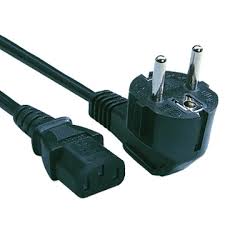
Power Cord
The power cord is the link between the power outlet and the power supply unit in the computer casing. If the power cord is not plugged in, the computer will not power on. It is a good idea to keep the power cord plugged into an Uninterruptable Power Supply (UPS), which serves as a surge protector with its own temporary power source.


  • မီးၾကိဳးက အျပင္မီးခလုတ္ခုံႏွင့္၊မီးအားအခ်ိဳးခ်ခြဲေ၀ေပးေသာ (Power Supply Unit) ကုိ ကြန္ပ်ဴတာ ေသတၱာတြင္ တပ္ဆင္ေပးထားပါတယ္၊ အကယ္ Power Cord မီးၾကိဳးႏွင့္ မတပ္ဆင္ထားပါက၊ ကြန္ပ်ဴတာတြင္ မီးခလုပ္ဖြင့္ရ႕ဲရမည္မဟုတ္ပါ၊ ၄င္းစနစ္ဟာ မီးအားထိမ္းညွိဖုိ႔အေကာင္းဆုံး အၾကံအညံဘဲ ျဖစ္ပါတယ္၊ ၄င္းကုိ အျပင္ မီးအားထိမ္းေပးတဲ့ UPS မွာတပ္ဆင္ေပးထားရပါတယ္၊ UPS က ေကာင္းမြန္ခ်က္ လုိေနတဲ့မီးအားကုိ အတိအက်ထုတ္လႊတ္ေပးပါတယ္၊ Over Voltage မျဖစ္ရေအာင္ေပါ့ ၊ မီးပ်က္သြားရင္လည္း ယာယီလုပ္ငန္းခြင္ ဖုိင္သိမ္း ကြန္ပ်ဴတာ ပိတ္ခြင့္ရရန္ မီးအားကုိ 10 မိနစ္ သုံးခြင့္ကုိရႏုိင္မွာျဖစ္ပါတယ္။

စားပြဲတင္ ကြန္ပ်ဴတာ အေျခခံအစိတ္အပုိ္င္း

Basic Parts of a Desktop Computer (cont.)


                      Tower Case                                   Desktop Case
The computer case is the metal and plastic box that contains the main components of the computer. It houses the motherboard, central processing unit (CPU), the power supply, and more.

Computer cases come in different shapes and sizes. A desktop case lies flat on a desk, and the monitor usually sits on top of it. A tower case is tall and sits next to the monitor or on the floor. The front of the case usually has an on/off switch and two or more drives.

Most of the personal computers you can purchase today include tower cases, rather than desktop cases; however, some computers are being made with all of the internal components built into the monitor, which completely eliminates the tower.

  • ကြန္ပ်ဴတာ ေသတၱာ ဟာဆုိရင္ သတၱဳႏွင့္ပလက္စတစ္မ်ားျဖင့္ေပါင္းစပ္ျပီး ေသတၱာပုံစံ တည္ေဆာက္ ထားပါတယ္၊ အဲဒီအထဲမွာေတာ့ အေရးၾကီး ကြန္ပ်ဴတာအစိတ္ပုိင္းမ်ား တည္ရွိေနပါတယ္၊  အဲဒီမွာေတာ့ အထိုင္ျဖစ္တဲ့ Motherboard ၊ CPU ကြန္ပ်ဴတာ ဦးေဏွာက္၊ Power Supply မီးအားေပးတဲ့ စက္၊ ျပီးေတာ အျခားအရာေတြ ..။
  • ကြန္ပ်ဴတာေသတၱာပုံစံမ်ားဟာ မတူညီသလုိ အရြယ္အစားေတြဟာ အသီးသီးရွိေနပါတယ္၊ Desktop အမ်ိဳးအစားျဖစ္တဲ့ ေသတၱာကုိေတာ့ စားပြဲမွာ ဘဲ အလ်ားလုိက္ တင္ထားေလ့ရွိပါတယ္၊ ေသတၱာရဲ႕အေရွ႕ဘက္မွာေတာ့ ကြန္ပ်ဴတာ အဖြင့္အပိတ္ခလုတ္ႏွင့္ စီဒီ၊ ဒီဗီဒီ ဖြင့္စက္ ႏွစ္မ်ိဳးေလာက္ ရွိေနတာကုိ ေတြ႕ျမင္ႏုိင္ပါတယ္၊
  • အမ်ားစုလူတစ္ဦးတည္းသုံးကြန္ပ်ဴတာ (Personal Computer (PC) ) ၀ယ္ယူတဲ့အခါ မွာေတာ့ PC ေသတၱာပုံစံ အေထာင္ပုံစံ (Tower Case) ကုိ ယခင္အသုံးျပဳခဲ့ေသာ (Desktop Case) အစားထုိးထုတ္လုပ္လာကုိ ေတြ႕ျမင္ရပါတယ္ ၊ ဒါကလည္း ဟုတ္တာဘဲ Tower Case က Desktop Case ထက္ တည္ေဆာင္ပုံလြတ္လပ္တယ္၊ ေလ၀င္ေလထြက္ေကာင္းမြန္ေတာ့ အပူကုိ ထိန္းညွိျပီးျဖစ္တာေပါ့၊ ျပီးေတာ့ ပစၥည္းဘာညာ ျဖဳတ္လဲမယ္ဆုိလည္း ပုိအဆင္ေျပတယ္ေလ၊ ..
အခ်ိဳေသာ ကြန္ပ်ဴတာမ်ားက ALL IN ONE PC ေမာ္နီတာႏွင့္ System Case ဟာ တစ္ဆက္တည္းပုံစံနဲ႕ တည္ေဆာက္ထားပါတယ္၊ 

စားပြဲတင္ ကြန္ပ်ဴတာ၏ အေျခခံအစိတ္အပုိင္းမ်ား


What are the Basic Parts of a Desktop Computer?


All of the basic parts of a desktop computer are considered hardware. The computer case, monitor, keyboard, mouse, and power cord are considered the basic parts. These items are the things you notice right away when you look at a desktop computer.

Beyond these parts are the hardware items that are located inside the computer case and the peripherals, which are optional pieces of hardware that make the computer system more useful, or enable you to accomplish additional tasks. Let's take a look at the basic hardware components, or the things required in order to let you and the computer interact.


 စားပြဲတင္ကြန္ပ်ဴတာတစ္လုံး၏အေျခခံအစိတ္အပုိင္းမ်ားအားလုံးဟာ ကြန္ပ်ဴတာ၏ စက္ပစၥည္းပုိင္း တနည္း ရုပ္၀တၱဴပုိင္းပါ၊ ကြန္ပ်ဴတာ ပုံးခြံ (Computer Case)? ကြန္ပ်ဴတာ အေပၚစက္ (Monitor) ကြန္ပ်ဴတာ လက္ႏွိပ္ခုံ၊ (Keyboard) ၊ ေမာက္စ္ (Mouse) ႏွင့္ မီးအားေပး ကိရိယာ (Power Cord) ဒါေတြအားလုံးဟာ ကြန္ပ်ဴတာ ပစၥည္းမ်ား၏ အေျခခံအစိတ္အပုိ္င္းမ်ားျဖစ္ပါတယ္ ၊ ဒီအခ်က္အလက္မ်ားကုိ သင့္အသုံးျပဳေနေသာ စားပြဲတင္ကြန္ပ်ဴတာ အမ်ိဳးအစားတြင္ တခါထဲ ေတြ႕ျမင့္ႏို္င္ပါတယ္၊ 
ဒီပစၥည္းမ်ားအျပင္ ကြန္ပ်ဴတာ ေသတၱာ အတြင္းရွိ စက္ပစၥည္းမ်ားကုိလည္း ေလ့လာႏိုင္ပါတယ္၊ တနည္း ကြန္ပ်ဴတာ ဆက္စပ္ပစၥည္းမ်ား၊ ၄င္းပစၥည္းမ်ားဟာ ကြန္ပ်ဴတာ လည္ပတ္ဖုိ႔အတြက္ အရမ္းအေရးပါ ပါတယ္၊ လုပ္ငန္းစဥ္တစ္ခုခ်င္းဆီးအလုိက္ သူေနရာသူ လုပ္ေဆာင္ပါတယ္၊ ဒါဆုိရင္ ကၽြန္ေတာ္တုိ႕ ကြန္ပ်ဴတာ အေျခခံ စက္ပစၥည္းပုိင္းမ်ားကုိ ေလ့လာၾကည့္ရေအာင္၊ ဒါမွမဟုတ္ ကြန္ပ်ဴတာနဲ႕ လူနဲ႕ၾကားဘယ္လုိဆပ္စပ္မႈေတြ အမိန္႔လုိက္နာမႈေတြ ျပဳလုပ္ေဆာင္ရြက္ၾကပါသလဲ ....?